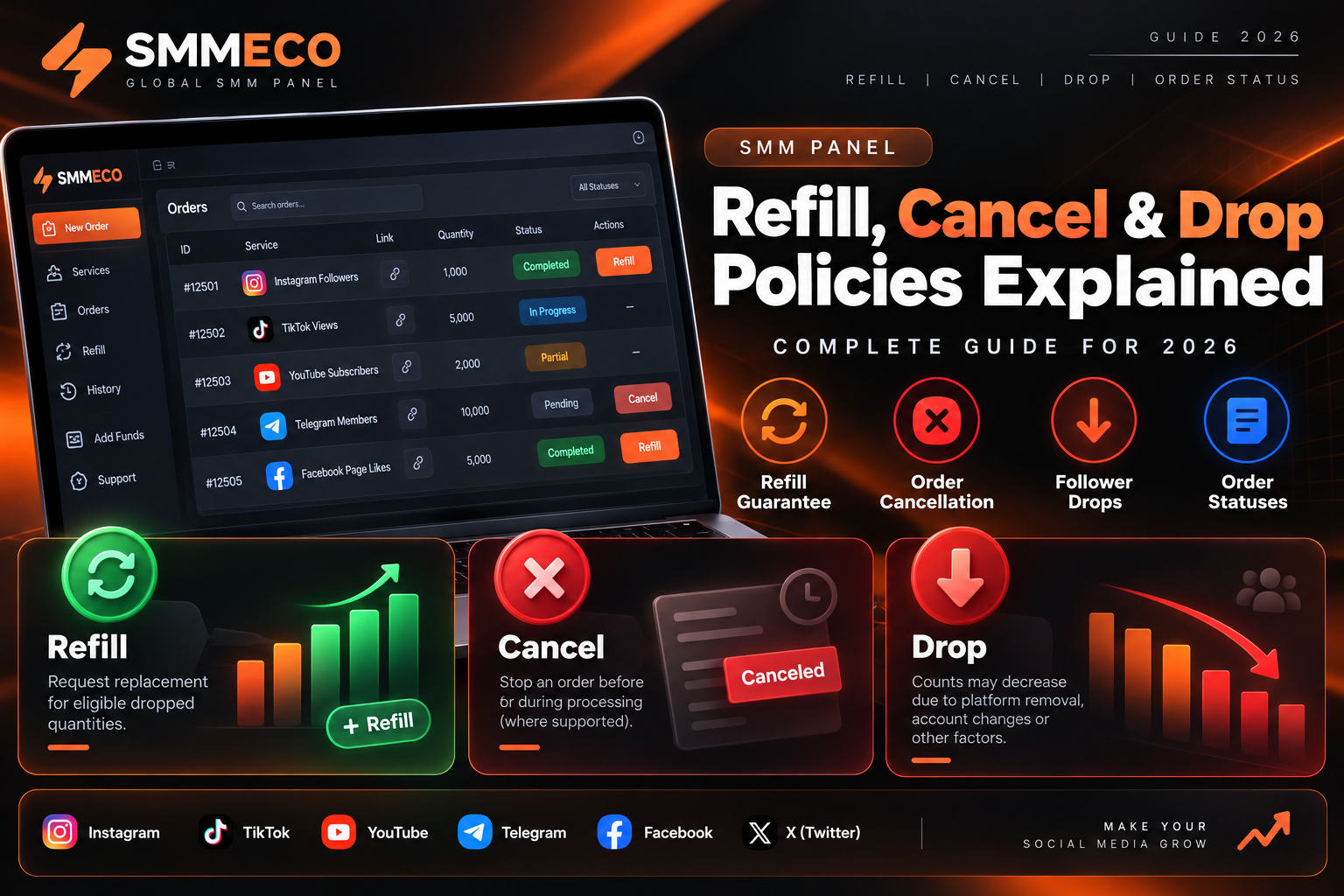
SMM Panel Refill, Cancel & Drop Policies Explained (2026 Guide)
Understanding SMM panel refill, cancellation and drop policies is essential for anyone purchasing social media marketing services or managing orders through an SMM reseller panel.
Many customers encounter questions after placing an order. Why did the number of followers decrease? What does a refill guarantee actually cover? Can an order be canceled after processing begins? What happens when an order is marked as partially completed?
The answers depend on the selected service, its conditions and the provider's order-management policies.
A service advertised at a low price may have different refill and cancellation conditions from another service in the same category.
In this guide, we explain how SMM panel refills work, why followers and other engagement counts may drop, how order cancellations are handled and what resellers should understand before offering these services to customers.
What Is a Refill in an SMM Panel?
An SMM panel refill is a process for requesting replacement quantities when previously delivered units decrease after an order has been completed.
For example, a customer might purchase a service that includes a limited refill period.
If the measured count decreases during the eligible period, the customer may be able to request a refill under the service's terms.
However, not every SMM panel service includes refill support.
Some services are explicitly labeled No Refill, meaning the provider does not offer free replacement of dropped quantities.
Quick Answer: An SMM panel refill is a conditional request to replace eligible dropped quantities. Refill availability depends on the selected service, guarantee period, recorded start count, account conditions and provider policies. It does not guarantee permanent results.
Before placing an order, customers should review the service description to understand whether refill support is available.
How Does an SMM Panel Refill Guarantee Work?
Refill guarantees are commonly associated with a specific service and a defined period.
Depending on the provider, service descriptions may include labels such as:
- No Refill: No free replacement of dropped quantities.
- 30 Days Refill: Conditional refill eligibility during a specified 30-day period.
- 60 Days Refill: Conditional refill eligibility during a specified 60-day period.
- 90 Days Refill: Conditional refill eligibility during a specified 90-day period.
- Auto Refill: Eligible drops may be handled through an automated refill process.
- Lifetime Refill: A provider-defined guarantee whose duration, service availability and exclusions must be reviewed carefully.
These labels are industry descriptions, not universal contractual standards.
Providers may calculate guarantee periods differently. Some count from order placement, while others count from completion.
Always verify the starting date of the guarantee and any limitations stated for that particular service.
Is a Refill Guarantee the Same as Permanent Followers?
No.
A refill guarantee does not mean that delivered quantities will remain unchanged permanently.
It describes a process for requesting replacement under certain conditions.
The provider may reject a refill request if the service is not eligible, the guarantee has expired or the account conditions have changed.
Refill eligibility should never be confused with guaranteed account safety or authentic audience engagement.
Understanding Start Count in SMM Panel Orders
The start count is one of the most important concepts in SMM order management.
It generally refers to the quantity recorded by the provider when an order begins processing.
For example, consider a hypothetical follower-related order:
- Starting follower count: 5,000
- Ordered quantity: 1,000
- Expected count after delivery: 6,000
The basic calculation is:
Expected End Count = Start Count + Ordered Quantity
5,000 + 1,000 = 6,000
This recorded baseline helps the provider evaluate subsequent count changes.
However, it does not prove which individual followers originated from a particular order.
What Happens When the Count Drops?
Consider three scenarios based on the example above.
In the second scenario, the count has decreased by 250 from the expected total.
Depending on the service's terms, that decrease may be considered for refill.
In the third scenario, the current count is below the original baseline.
Some providers reject refill requests in this situation because their systems cannot distinguish previously existing quantities from those delivered by the order.
Why Is Refill Sometimes Unavailable Below Start Count?
A provider may only be responsible for quantities associated with the specific order.
If an account had 5,000 followers before the order and later falls to 4,900, the provider may be unable to determine which losses came from that order and which came from the account's existing audience.
For this reason, many service policies exclude refill requests when the current count is below the recorded start count.
This is an eligibility rule rather than evidence that no drop occurred.
Why Do SMM Panel Followers, Likes or Views Drop?
A drop occurs when a previously recorded quantity decreases.
Several factors may contribute to changing social media counts.
1. Platform Removal of Inauthentic Activity
Social media platforms may remove suspicious, spam-related or inauthentic engagement.
As a result, some third-party services may experience decreases in displayed counts.
2. Account Deletions or Restrictions
Accounts contributing to a displayed follower or engagement count may be deleted, suspended or restricted.
These changes can affect the number shown on the target account or content.
3. Normal Audience Changes
Followers can leave accounts voluntarily, and social media metrics may change independently of purchased services.
A count decrease does not automatically prove that all lost quantities came from a specific order.
4. Platform Measurement Adjustments
Social platforms may update how they calculate or display certain metrics.
Reported counts can therefore change after the initial measurement.
5. Service-Specific Limitations
Different service sources may have different delivery characteristics and conditions.
A low advertised price should not be interpreted as a promise of long-term stability.
Does a Higher-Priced Service Guarantee No Drops?
No.
A higher price does not establish that a service is risk-free or that its results will remain unchanged.
Customers should review the actual service specifications and avoid relying on unsupported claims such as "100% permanent" or "zero risk."
How to Request an SMM Panel Refill
If an order includes refill support, the following process can help customers submit an accurate request.
Step 1: Locate the Original Order
Open the order history in the relevant SMM panel.
Identify the correct order number and service.
Step 2: Check Refill Availability
Review the original service description and determine whether the order is eligible for refill.
Check the guarantee period, current order status and any applicable restrictions.
Step 3: Verify the Current Count
Compare the current displayed count with the start count and expected end count recorded for the order.
Remember that the provider's own recorded values may control eligibility.
Step 4: Check for a Refill Button
Some panels display a Refill button for supported orders.
The presence of a button may allow a refill request, but submitting it does not automatically mean the request will be approved.
Step 5: Contact Support When Necessary
If refill is supported but the button is unavailable, the provider may allow a support ticket.
Include the relevant order details and a concise explanation.
Step 6: Monitor the Refill Request
Some systems provide a separate status for refill requests.
Possible outcomes may include pending, processing, completed or rejected, depending on the provider.
Avoid making additional overlapping orders while a refill request is being evaluated, particularly when the service's terms prohibit concurrent orders.
Why Is My SMM Panel Refill Not Working?
Customers sometimes encounter situations where a refill request is rejected or cannot be submitted.
Common reasons include:
The Service Has No Refill Guarantee
Services explicitly marked No Refill do not include free replacement under their stated terms.
The Guarantee Period Has Expired
A refill request submitted outside the applicable period may be rejected.
The Account Is Private
Some services require the target account or content to remain publicly accessible.
Changing privacy settings may prevent the provider from checking the order.
The Username or Link Has Changed
If the target account username or original link changes, the provider may be unable to verify the order against its recorded information.
Some policies exclude such orders from refill eligibility.
The Count Is Below Start Count
As explained earlier, certain providers reject requests when the current count falls below the recorded starting quantity.
Another Order Was Placed on the Same Link
Multiple overlapping orders can make it difficult to attribute count changes to a particular order.
Some providers specifically prohibit overlapping orders on the same target.
The Content Was Deleted
Deleting or removing the target content can prevent further processing or verification.
The Request Is Still Processing
A submitted refill request may require review or processing time.
Repeated requests do not necessarily speed up the process.
Important: The specific reason for a rejected refill should be checked against the selected service's actual conditions.
What Does Auto Refill Mean in an SMM Panel?
Auto refill describes a refill process that can be initiated or managed automatically for eligible services.
Depending on the provider, the system may monitor recorded counts or process eligible refill requests without requiring the customer to submit every request manually.
However, auto refill does not mean that every drop will be detected or replaced.
Limitations may still include:
- An active guarantee period
- Valid target links
- Publicly accessible accounts
- Minimum drop thresholds
- Supported service categories
- Supplier availability
- Restrictions on overlapping orders
Auto refill should be considered a service-management feature, not a guarantee of permanent delivery.
How to Cancel an SMM Panel Order
Order cancellation is another common topic among SMM customers.
An order may be submitted incorrectly, remain pending or become unnecessary.
However, the ability to cancel depends on the service and processing status.
Can a Pending SMM Order Be Canceled?
Some providers allow cancellation while an order is still pending.
Others may immediately forward orders to upstream suppliers and restrict cancellation requests.
A pending status alone does not guarantee cancellation eligibility.
Can an In-Progress SMM Order Be Canceled?
Some services allow cancellation after processing begins, but many do not.
When cancellation is supported, the provider may evaluate the remaining undelivered quantity.
Customers should check the specific service's cancellation conditions.
Can a Completed SMM Order Be Canceled?
Completed orders generally cannot be canceled through ordinary order-cancellation functions.
Any separate dispute or refund request is handled according to the applicable terms and consumer rights.
Does the Cancel Button Guarantee Cancellation?
No.
The Cancel button may only indicate that a cancellation request can be submitted.
Approval depends on the provider's processing rules and the order's current state.
Customers should not assume the order is canceled until the system confirms the result.
Understanding SMM Panel Order Statuses
An SMM panel uses order statuses to communicate the processing state of each order.
The following table explains common terms.
Different SMM providers may use different status names or interpretations.
A Completed status is the provider's processing report. It does not independently verify authentic engagement or compliance with social media platform rules.
What Does Partial Mean in an SMM Panel?
An order marked Partial generally indicates that only part of the requested quantity was fulfilled.
For example:
- Ordered quantity: 2,000
- Delivered quantity: 1,500
- Undelivered quantity: 500
The undelivered amount is:
2,000 − 1,500 = 500
If the provider calculates the adjustment proportionally, the value of the undelivered quantity can be calculated using the service rate.
Suppose the original order cost was $1.00.
The proportional value of the undelivered quantity would be:
500 ÷ 2,000 × $1.00 = $0.25
The resulting adjustment would be $0.25 under this hypothetical pricing model.
This amount is illustrative and not a verified SMMECO refund amount.
Where Does a Partial Refund Go?
Some providers credit adjustments to the customer's internal panel balance.
Others may apply different billing procedures.
A partial status does not always mean the customer receives an external payment refund.
Customers should verify the provider's published payment and refund terms.
Refill vs Cancellation vs Refund: What Is the Difference?
These terms describe different processes.
Refill: A request to replace eligible dropped quantities after delivery.
Cancellation: A request to stop an order before or during processing, where supported.
Partial adjustment: An accounting adjustment for the undelivered portion of an order under the provider's terms.
Refund: Return or credit of funds according to the applicable refund conditions.
These processes should not be treated as interchangeable.
For example, a completed order with a valid refill guarantee may qualify for a refill but not an ordinary cancellation.
Likewise, a partially completed order may qualify for an adjustment without being eligible for a refill.
Why You Should Avoid Overlapping SMM Orders
Placing several orders for the same target before earlier orders finish can create problems.
A new order may record a different start count while the previous order is still processing.
This can make it difficult for suppliers to determine which quantities belong to which order.
For reseller businesses, overlapping orders can also complicate:
- External order tracking
- Refill eligibility
- Partial-order calculations
- Customer support investigations
- Provider dispute resolution
A safer order-management practice is to wait for a final status before submitting another order for the same target when the provider's terms require it.
This helps keep order records and quantities easier to interpret.
SMM Panel Refill and Cancellation Tips for Resellers
Reseller businesses should pay particular attention to how supplier policies are communicated.
A reseller may purchase services from an upstream provider and offer them through its own website.
If the upstream supplier does not include a refill guarantee, the reseller should not advertise the service as guaranteed unless it independently intends and is able to provide that commitment.
Keep Service Conditions Accurate
Service descriptions should clearly identify refill availability, quantity limits and cancellation restrictions.
Preserve Internal and External Order IDs
When orders pass through an API, keeping both identifiers can help with support requests.
For example:
- Customer order ID: 12501
- Supplier order ID: 894321
- Issue type: Refill
- Current status: Pending review
These identifiers are fictional examples.
Review Service Changes
Supplier conditions can change over time.
Review service descriptions regularly and update reseller listings when necessary.
Avoid Unsupported Guarantees
Do not promise permanent quantities, unrestricted cancellations or guaranteed account safety unless there is a clear, substantiated basis for the claim.
Maintain Clear Support Procedures
Customers should know how to submit order numbers and describe their issues.
For multiple orders, a simple comma-separated format can reduce confusion.
How to Report an SMM Order Problem to Support
When reporting an order issue, provide accurate and relevant information.
A useful support message may include:
Issue Type: Refill Request
Order ID: 12501
Service: Instagram Followers
Recorded Start Count: 5,000
Expected End Count: 6,000
Current Count: 5,750
Issue Description: The current count is below the expected end count. Please check whether this order is eligible for refill under the service conditions.
These values are illustrative.
Do not send account passwords or private API credentials in support tickets.
If requested, provide relevant screenshots without exposing sensitive account information.
Are SMM Panel Services Safe to Use?
Third-party SMM services may create risks depending on the type of service and social media platform.
Some services that artificially inflate followers, views or other engagement metrics can violate platform rules.
For example, YouTube's Fake Engagement Policy restricts artificial increases in engagement metrics.
A refill guarantee does not protect an account from platform enforcement actions.
Before ordering, users should review both the selected service's conditions and the relevant social media platform's rules.
Authentic content, legitimate advertising and genuine audience relationships provide alternatives that do not depend on artificially inflated metrics.
Explore SMM Services with SMMECO
SMMECO is a global SMM panel platform offering access to social media marketing service categories for Instagram, TikTok, YouTube and Telegram.
Customers should carefully review each available service's description, refill conditions, cancellation availability and other limitations.
Resellers should also consider how supplier policies affect their own customer support and order-management processes.
Visit SMMECO — Global SMM Panel to explore the available services and review their current conditions.
Frequently Asked Questions
What does refill mean in an SMM panel?
Refill refers to the conditional replacement of eligible dropped quantities after delivery. It is available only when supported by the selected service and its terms.
Why is my SMM panel refill not working?
Possible reasons include an expired guarantee, a No Refill service, changed username, private account, overlapping orders, invalid link or a count below the recorded start count.
Can I get a refill if my followers drop below the start count?
Some providers do not allow refills below the original start count because they cannot reliably attribute the decrease to the order. Check the selected service's policy.
What is the difference between auto refill and manual refill?
Auto refill uses an automated process for eligible services. Manual refill generally requires a customer request or support ticket. Both remain subject to service conditions.
Can I cancel an SMM panel order after placing it?
Cancellation depends on the service and order status. Some pending orders are eligible, while in-progress or completed orders may not be.
Why is my SMM panel order marked Partial?
Partial generally means that only part of the requested quantity was fulfilled. Any adjustment for the undelivered portion depends on the provider's policies.
Does a completed SMM order qualify for a refund?
Not automatically. A Completed status does not itself create refund eligibility. Any refund or dispute is evaluated under the applicable terms and rights.
Can I place two orders on the same link?
Some services restrict overlapping orders because they complicate delivery tracking and refill calculations. Review the service conditions and avoid submitting a new order before the previous order finishes where prohibited.
Is a 30-day refill guarantee permanent?
No. A 30-day refill label describes a limited eligibility period with service-specific conditions. It does not mean permanent engagement or permanent account protection.
Is a refill the same as a refund?
No. A refill concerns replacement of eligible quantities, while a refund concerns returning or crediting funds.
Final Thoughts
Understanding SMM panel refill, cancellation and drop policies can help customers avoid misunderstandings and make more informed decisions.
The most important details are the selected service's refill guarantee, start count, cancellation conditions, refund procedures and account requirements.
For resellers and marketing agencies, keeping these rules clear is essential for accurate customer communication and order management.
Rather than relying on general promises, review the conditions attached to each service and document order-related issues carefully.
A transparent SMM panel experience begins with clear service descriptions, realistic expectations and understandable support procedures.