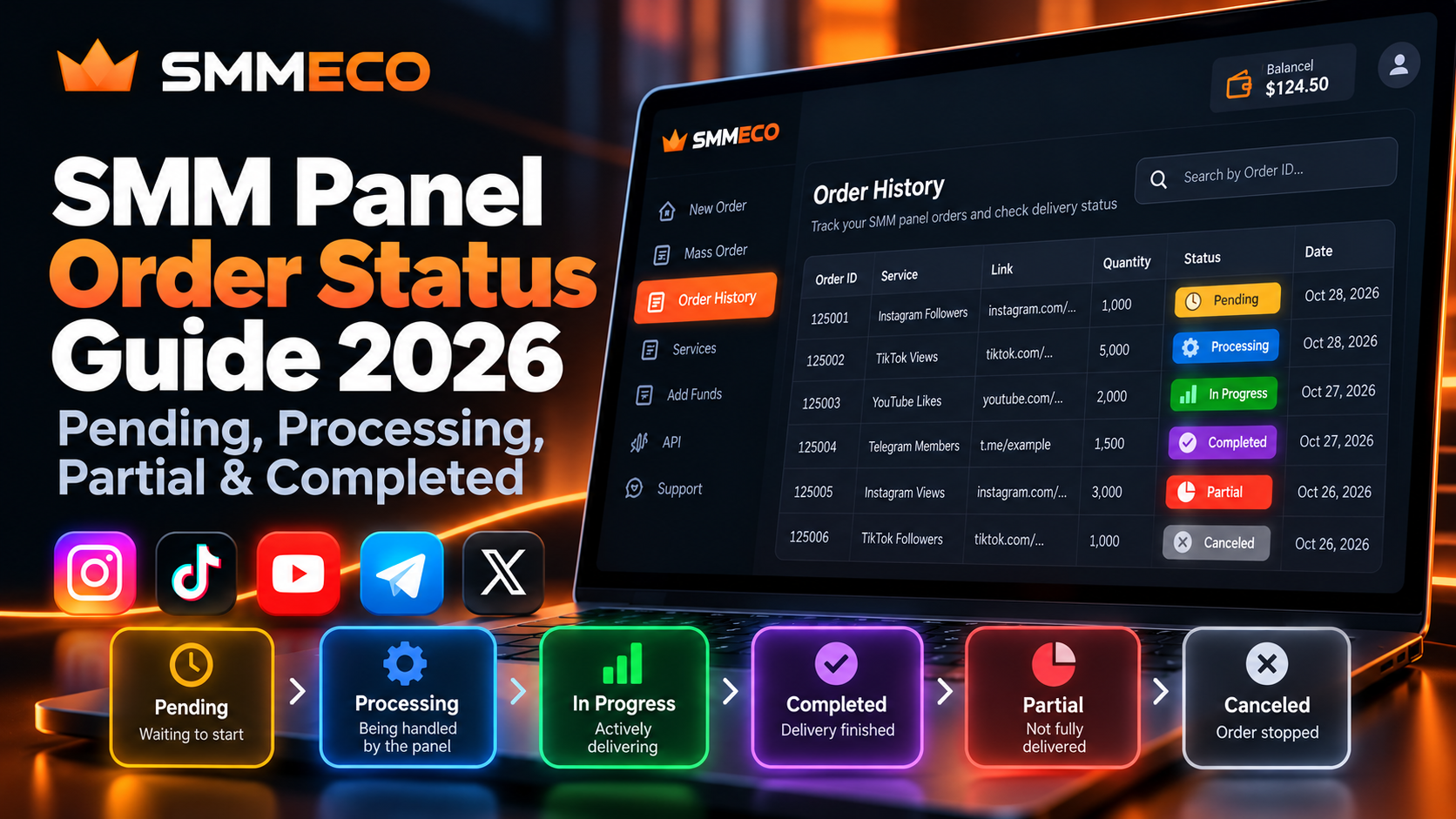
SMM Panel Order Status Guide 2026: Pending, Processing, Partial & Completed
You place an order through an SMM panel, receive an order ID, and open your order history to check the result. Instead of seeing a completed order, you notice a status such as Pending, Processing, In progress, or Partial.
What exactly does that status mean? Is your order delayed? Should you contact support? And what happens if the order never reaches its requested quantity?
Understanding SMM panel order status information is important for individual customers, digital marketing agencies, and resellers who manage multiple service requests.
A status label can tell you which stage an order has reached, but it does not always explain why an order is taking longer than expected.
This guide explains the most common SMM order statuses, how to interpret order tracking fields, why orders sometimes appear stuck, and how to investigate delivery problems without creating duplicate requests.
We'll also look at the order-status information available through SMMECO and its documented API.
What Is SMM Panel Order Status?
SMM panel order status is the current processing state assigned to a submitted social media service order.
It helps users understand whether a request is waiting to begin, being processed, reported as completed, partially fulfilled, or canceled.
Most SMM panels use a recognizable set of status labels, although their exact meanings and workflows may differ.
The most common statuses include:
- Pending: The order has been recorded and is waiting for further processing.
- Processing: The order is being handled by the panel or its provider.
- In progress: The order is reported as actively progressing.
- Completed: The system reports that the requested fulfillment process has finished.
- Partial: The order ended without fulfilling the entire requested quantity.
- Canceled: The order has been stopped or closed without normal completion.
Some platforms also display additional states, such as In Queue, Error, or Failed.
These labels describe operational stages. They are not independent proof of authentic engagement, permanent retention, or marketing success.
Quick Answer: Pending usually means an SMM order is waiting, Processing or In progress describes an active workflow, Completed indicates reported fulfillment, and Partial means the requested quantity was not fully delivered. Always review the order details before deciding what action to take.
SMM Panel Pending Order: What Does Pending Mean?
One of the most frequently encountered situations is an SMM panel order stuck on Pending.
Pending usually indicates that the order has been accepted into the ordering system but has not yet reached an active delivery stage.
This can happen even when the account balance has already been charged or reserved.
Why Is My SMM Panel Order Still Pending?
Several situations can lead to a pending order.
1. The order is waiting in a queue
A service may process requests according to current availability. A recently submitted order can remain pending while earlier requests are handled.
2. The advertised start time has not passed
Start time and completion time are different concepts.
A service may begin after a certain period and require additional time to finish.
3. The provider has not started processing
Some panels rely on external suppliers. The customer-facing system may record the order before the upstream provider begins work.
4. The target link requires verification
If the submitted account or content is inaccessible, incorrectly formatted, or unsupported, the order may require further handling.
5. Service availability has changed
Temporary operational issues can delay new requests.
However, a Pending label alone does not establish which of these explanations applies.
What Should You Do When an Order Is Pending?
First, check the time the order was submitted.
Then compare the elapsed time with the start-time information provided in the selected service description.
Next, verify that the submitted link still opens the intended destination and that the target satisfies the service requirements.
If the applicable start estimate has passed, contact support with the Order ID and relevant details.
Avoid placing the same order again merely because the first request remains pending. The original order may still be processed later.
SMM Panel Processing Status Explained
Processing means an order has entered a processing workflow, but it does not necessarily prove that visible delivery has already started.
Some SMM panels use Processing as an intermediate stage between Pending and In progress.
Other systems use Processing and In progress more loosely.
For example, a processing order may be undergoing validation, queued for fulfillment, or handled by the upstream service.
The actual behavior depends on the provider.
Is Processing the Same as In Progress?
Not always.
Processing may describe an order being prepared or handled internally.
In progress often indicates an active fulfillment stage.
However, some panels use these labels interchangeably.
The safest approach is to compare the status with the available order information rather than assuming that a specific label guarantees visible results.
Why Does Processing Sometimes Take Longer?
Possible factors include service-specific delivery schedules, processing queues, target accessibility, and temporary operational delays.
A longer processing period does not automatically mean that a request has failed.
Check the original service description and contact support when the applicable timeframe has been exceeded.
What Does In Progress Mean in an SMM Panel?
An order marked In progress is generally being handled within an active fulfillment process.
However, users should distinguish the panel's internal status from what is currently visible on a social media account.
For example, suppose a service order changes from Pending to In progress.
The customer checks the target immediately but sees no visible difference.
That observation alone does not establish that the order is malfunctioning.
The dashboard and the social platform may update their information at different times.
Does In Progress Mean the Order Will Be Completed?
No.
An active order can still be delayed, stopped, partially fulfilled, or canceled depending on the service.
The In progress status describes the current state, not a guaranteed final outcome.
Should You Submit Another Order While One Is In Progress?
Usually, it is better to review the first order before submitting another request for the same service and target.
Overlapping requests can complicate quantity tracking, start-count calculations, and support investigations.
Some providers explicitly restrict overlapping orders.
Check the service conditions rather than assuming that multiple simultaneous orders are always supported.
What Does Completed Mean in an SMM Panel?
Completed means the panel reports that the order has finished its fulfillment workflow.
It is commonly treated as a final order status.
For example, a service requesting 1,000 units may be marked Completed when the provider records the requested fulfillment as finished.
However, a completed status should not be confused with a guarantee that every displayed social media metric will remain unchanged.
Why Does an Order Show Completed but the Count Looks Different?
There are several possible explanations:
- The target count changed independently during processing.
- The social media platform updated or adjusted its visible metrics.
- The recorded starting count differs from the customer's estimate.
- The provider's completion record and the current public count do not match.
An order may require further investigation if the recorded result appears inconsistent with the service terms.
Review the original target, starting count, submitted quantity, completion details, and current observation.
A single screenshot of a public count is not always enough to establish what happened to a particular order.
Does Completed Mean the Results Are Permanent?
No.
Completed refers to the operational order record.
It does not automatically guarantee permanent follower retention, authentic engagement, increased sales, monetization eligibility, or protection from social platform enforcement.
If the service includes an eligible refill policy, users may be able to request additional review under its stated conditions.
For those rules, see our SMM Panel Refill, Cancel & Drop Policies Guide.
SMM Panel Partial Status: What Does Partial Mean?
An SMM panel order marked Partial generally means that the order stopped before the full requested quantity was fulfilled.
Partial is especially important because it can affect both the recorded delivery amount and the account's final charges.
Example: Understanding a Partial Order
Imagine a hypothetical order with these details:
- Requested quantity: 2,000
- Reported delivered quantity: 1,500
- Undelivered quantity: 500
- Final status: Partial
The difference is:
2,000 − 1,500 = 500
In this example, 500 units were not fulfilled.
Whether the provider automatically adjusts the charge depends on the applicable billing rules.
Does Partial Mean the Remaining Balance Is Refunded?
Not necessarily in every platform or payment arrangement.
Some SMM panels automatically credit the undelivered portion to the customer's internal account balance.
Others may use different adjustment procedures.
The important distinction is between the order's status and a confirmed financial transaction.
A Partial status does not, by itself, prove that money has returned to the customer's original payment method.
Review the order charge, account balance history, and the provider's stated refund conditions.
Can You Place Another Order After Partial?
Before submitting a replacement, verify the original order's final quantity and any balance adjustment.
If the remaining quantity has already been handled or the original target has changed, placing a second order without checking may create confusion.
A new request should be evaluated against the current service conditions.
What Does Canceled Mean in an SMM Panel?
Canceled generally means that the order has been stopped or closed without completing the ordinary fulfillment workflow.
Possible causes include invalid target information, service restrictions, unavailable services, or an approved cancellation request.
However, not every Canceled order has the same financial outcome.
The amount already delivered, if any, and the applicable policy may determine whether an adjustment is due.
Is Canceled the Same as a Cancellation Request?
No.
Submitting a cancellation request does not necessarily mean that the order has been successfully canceled.
Some providers must review whether the service supports cancellation at its current processing stage.
Until the final state is confirmed, avoid assuming that the request has been accepted.
How to Check Your SMM Panel Order Status
The process of checking an order normally starts inside your account dashboard.
Step 1: Open Your Order History
Sign in to the SMM panel and locate the section displaying previous orders.
Some dashboards use labels such as Orders or Order History.
Step 2: Find the Correct Order ID
Each accepted order generally receives an identifier.
An Order ID identifies a particular submitted order, whereas a Service ID identifies the service selected from the catalog.
These numbers serve different purposes.
Step 3: Review the Current Status
Read the displayed status together with the order's other information.
A status label by itself may not explain the entire situation.
Step 4: Check the Quantity and Remaining Amount
If the panel displays requested quantity and remaining quantity, verify what each field represents.
Do not assume that every provider calculates or updates remaining values in precisely the same way.
Step 5: Compare With the Service Conditions
Review the advertised start time, quantity requirements, target format, and applicable limitations.
This provides context for interpreting whether the order is still within its expected processing window.
Step 6: Contact Support When Necessary
If the displayed information conflicts with the applicable service conditions, contact support with the correct Order ID and a concise description of the problem.
Do not share your password or private API key.
Understanding SMM Panel Start Count and Remains
Two technical fields commonly found in SMM panel tracking systems are start_count and remains.
Understanding them can make order tracking much easier.
What Is Start Count?
Start Count generally describes the baseline quantity recorded when a service begins processing.
For example, a hypothetical follower service might record:
- Start Count: 5,000
- Requested Quantity: 1,000
- Expected End Count: 6,000
This simple calculation assumes the existing count remains otherwise unchanged.
In practice, a target's visible count may change for reasons unrelated to the order.
What Does Remains Mean?
Remains commonly refers to the quantity that has not yet been fulfilled or is recorded as outstanding.
Suppose an order requests 1,000 units and the provider records 300 remaining.
If the field specifically represents the undelivered portion of that order, the reported fulfilled amount is:
1,000 − 300 = 700
This is an arithmetic interpretation of the order record.
It does not prove the quality or permanence of the activity.
Can Remains Be Zero While a Count Looks Different?
Yes.
A provider may report zero remaining when its fulfillment system considers the order complete.
That does not guarantee that an independently observed public metric will match the expected total at every moment.
Compare the recorded baseline, order details, and current observation before concluding that the system contains an error.
How SMMECO Reports Order Status Through Its API
SMMECO publishes an official API documentation page describing how compatible applications can retrieve order information.
The documented order status operation uses an authenticated request with:
- action:
status - order: The Order ID to check
- key: The account's private API key
The documented API endpoint is:
https://smmeco.com/api/v2
SMMECO's API documentation shows a JSON order-status response containing fields such as:
chargestart_countstatusremainscurrency
For example, its documentation includes a sample response using the status Partial, a start count, a remaining quantity, and a charge denominated in USD.
This example illustrates the structure of an API response. It is not a live customer order or evidence of a current service outcome.
Can SMMECO Check Multiple Order Statuses?
Yes.
SMMECO's documented API includes a multiple-order status operation.
It accepts comma-separated Order IDs, with the documentation specifying up to 100 IDs in one request.
This can be useful for developers managing multiple customer orders.
For example, a reseller platform might periodically retrieve supplier status information and update its own internal order records.
However, the API response should still be handled carefully.
A failed lookup or incorrect Order ID is not equivalent to a successfully canceled order.
For the broader integration process, read our SMM Panel API for Resellers Guide.
SMM Panel Order Stuck? A Practical Troubleshooting Checklist
When an order stops progressing, begin with the simplest verifiable information.
First: Confirm the order exists.
Check that the submission produced an Order ID and a matching record in order history.
A browser timeout does not necessarily mean the order was rejected.
Second: Verify the target.
Make sure the submitted URL opens correctly and points to the intended content or account.
Third: Review the selected service.
Check whether the Service ID, quantity, and target type meet the published requirements.
Fourth: Compare elapsed time with the service description.
Look at the advertised start estimate or delivery conditions. There is no universal waiting period that applies to every SMM service.
Fifth: Check whether the order has already changed status.
An order may move from Pending to Processing or In progress without requiring any action from the customer.
Sixth: Look for an accounting discrepancy.
For Partial or Canceled orders, compare the recorded charge and any confirmed balance adjustment.
Seventh: Submit one clear support request.
Include enough information for the provider to identify and investigate the order.
Avoid repeatedly submitting the same request or creating duplicate paid orders while the original outcome remains uncertain.
Three Common Order Tracking Scenarios
These examples illustrate how to interpret order records. They are hypothetical situations, not verified SMMECO incidents.
Scenario 1: An Order Is Pending Beyond Its Start Estimate
A customer submits an order and later notices that it remains Pending after the service's advertised start period.
The correct next step is to confirm the target link, check the service information, and report the Order ID to support.
Submitting another identical order would not establish why the original request was delayed.
Scenario 2: An Order Is In Progress but the Public Count Has Not Changed
An agency sees an In progress status while the target's visible metric appears unchanged.
The agency records the current status, timestamp, target URL, and visible count.
It then compares those observations with the service's expected processing conditions.
The information provides a stronger basis for investigation than assuming either success or failure immediately.
Scenario 3: A Reseller Receives a Partial Order Result
A reseller has an order for 3,000 units that later changes to Partial.
The reseller checks the provider's recorded remaining quantity and final charge.
It also reviews the account balance for any adjustment.
Only after reconciling the record does the reseller decide how to communicate the outcome to its customer.
This avoids promising an unsupported refund amount or submitting an unnecessary replacement order.
How to Write an Effective SMM Panel Support Request
When reporting an order problem, precision matters more than writing a long explanation.
A useful support request might look like this:
Subject: Order Status Review
Order ID: 125001
Service ID: 305
Current Status: Pending
Submission Date: October 28, 2026
Issue: The order remains Pending beyond the start-time estimate displayed for the selected service.
Request: Please review the current processing state and advise whether any additional information is required.
The identifiers and details above are fictional examples.
If you are reporting multiple orders, organize the Order IDs clearly and describe whether they involve the same service or different issues.
Avoid including passwords, payment credentials, or API secrets.
A clear support message makes it easier for the recipient to identify what needs checking.
Tips for Resellers Managing Multiple SMM Orders
For reseller businesses, understanding the status of one order is only part of the workflow.
A reseller may need to track customer-facing orders and corresponding upstream supplier orders separately.
Keep Internal and Supplier Order IDs
If an order is created through an external provider, record both identifiers where applicable.
This helps avoid confusion when a customer reports one Order ID but the supplier uses another.
Record Status Changes
Keep a timestamped history of important changes where your system supports it.
For example:
Pending → In progress → Completed
Or:
Pending → Processing → Partial
These are illustrative workflows. Providers may use different transitions.
Treat Errors Separately From Cancellations
An API error, failed status lookup, or connection timeout should not automatically become a Canceled customer order.
First verify whether the underlying order exists and what the provider reports.
Reconcile Financial Adjustments
For orders ending as Partial or Canceled, compare the supplier's final charge with the actual balance adjustment.
Do not assume a financial transaction has occurred merely because a status label changed.
Communicate Verified Information
If a supplier reports a delay, communicate the known status and applicable service conditions.
Avoid inventing estimated completion times or guaranteeing outcomes not supported by the provider.
Are SMM Panel Order Statuses Related to Social Media Platform Safety?
An SMM panel's order status is an operational indicator, not a safety assessment.
A Completed status does not establish that engagement is authentic or that the activity complies with the target platform's rules.
Social media platforms may restrict artificial engagement or remove activity considered invalid.
For example, YouTube's Fake Engagement Policy prohibits artificial inflation of views, likes, and other engagement metrics.
Customers should evaluate applicable platform rules and the risks of third-party services before ordering.
Order tracking can explain what the panel reports, but it cannot guarantee audience quality, monetization eligibility, account safety, or business results.
Frequently Asked Questions About SMM Panel Order Status
Why is my SMM panel order still Pending?
Pending usually means the order has been recorded but has not reached an active fulfillment stage. Check the service's start estimate, target link, and current conditions. Contact support with the Order ID if the applicable timeframe has passed.
What is the difference between Processing and In progress?
Processing commonly describes an order being handled internally, while In progress often indicates an active fulfillment stage. Some panels use the labels interchangeably, so consult the actual order details.
What does Partial mean in an SMM panel?
Partial generally means that an order stopped without fulfilling its full requested quantity. Review the reported remaining amount, final charge, and any confirmed account balance adjustment.
Does Completed mean my order is permanently guaranteed?
No. Completed indicates that the panel reports the fulfillment process as finished. It does not guarantee permanent retention, authentic engagement, or protection from platform policy enforcement.
What is Remains in an SMM panel?
Remains commonly represents the quantity recorded as outstanding or undelivered. Its exact interpretation depends on the provider and the selected service.
Can I cancel a Pending SMM panel order?
Possibly, but not every service supports cancellation. A Pending status alone does not guarantee that a cancellation request will be approved.
Why did my order change from In progress to Partial?
The provider may have stopped processing before fulfilling the complete requested quantity. Review the order's recorded quantities and final charge, then contact support if the outcome is unclear.
Can I check multiple SMMECO orders at once?
SMMECO's published API documentation includes a multiple-order status operation supporting up to 100 comma-separated Order IDs in one request. Access requires valid API credentials and compliance with the documented request format.
What should I do if my order status is not updating?
First confirm that the order exists, verify the target, review the service conditions, and check whether the expected timeframe has passed. If the information remains inconsistent, contact support rather than creating duplicate orders.
Does a Partial status automatically refund my original payment method?
No. A Partial order may result in an account balance adjustment under the applicable terms. The status alone does not establish whether an external payment refund has occurred.
Final Thoughts
Understanding SMM panel order statuses helps users make informed decisions after submitting an order.
Pending does not always mean something is wrong. Processing and In progress do not guarantee immediate visible results. Completed represents the provider's fulfillment record, while Partial and Canceled require closer review of the final quantity and accounting details.
The most useful habit is to evaluate each status alongside its Order ID, target link, submission time, quantity, recorded charge, and service conditions.
For resellers, maintaining accurate order records and communicating verified information is particularly important.
SMMECO provides documented API functionality for retrieving individual and multiple order statuses, which may be useful for businesses managing order information through integrated systems.
To explore the platform, visit SMMECO — Global SMM Panel.
Key takeaway: An order status tells you what the system currently reports. Understanding the supporting order details helps you decide whether to monitor, investigate, request assistance, or reconcile the final outcome.