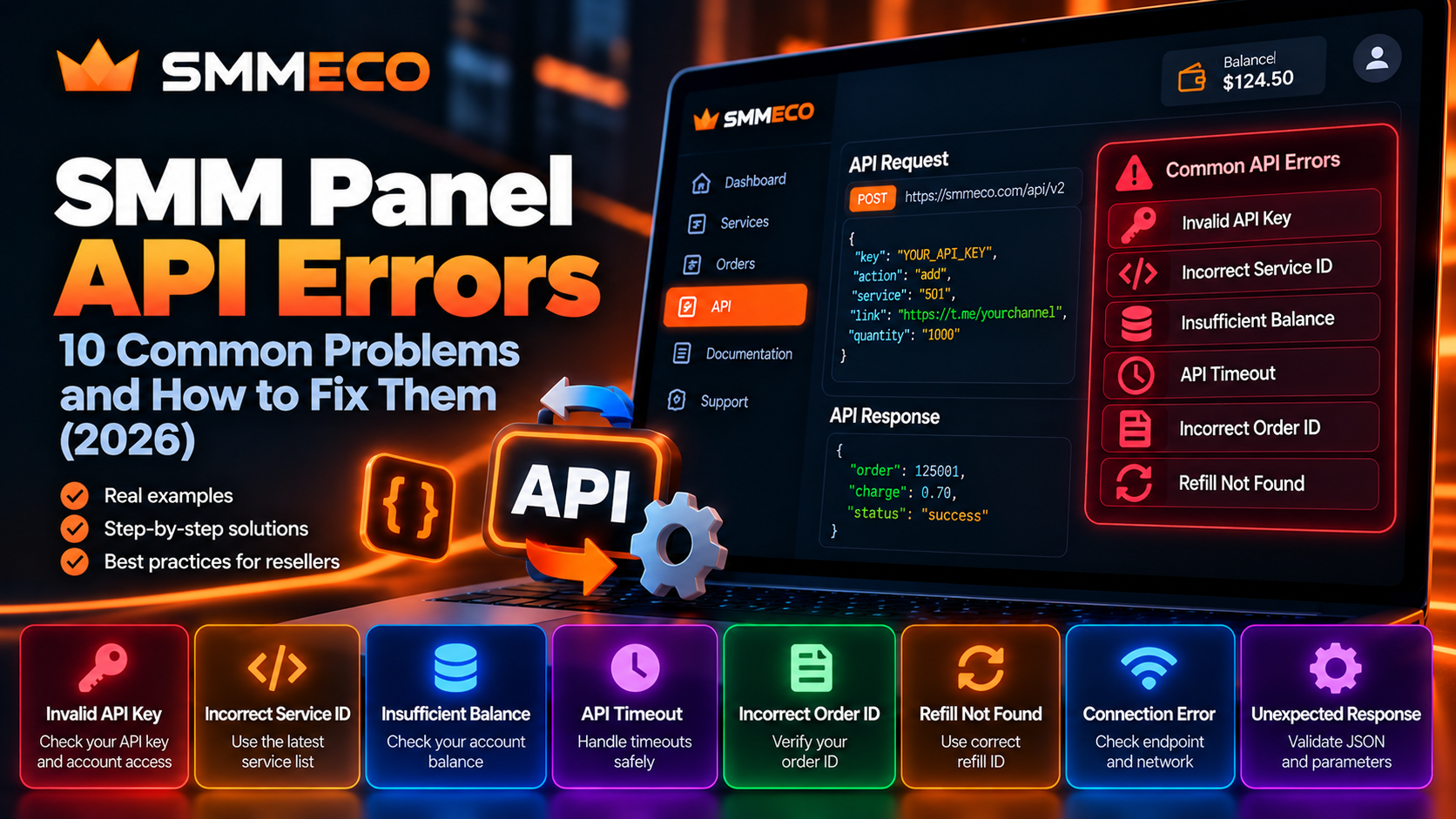
SMM Panel API Errors: 10 Common Problems and How to Fix Them (2026)
Your SMM panel API was working yesterday. Today, orders aren't being submitted, service information isn't updating, or your reseller dashboard is showing an unexpected error.
Maybe you're seeing an Invalid API Key message. Perhaps an order-status request returns Incorrect order ID. Or your application sends a paid order request and never receives a response.
These problems can interrupt the normal operation of an SMM reseller business, particularly when an integration handles multiple customer orders automatically.
The difficulty is that not every failed API request has the same cause.
Some SMM panel API errors come from incorrect credentials or request parameters. Others involve network connectivity, unavailable services, account balance restrictions, or mistakes in the reseller's own software.
More importantly, an unsuccessful API response doesn't always mean that a paid order was rejected.
This guide explains ten common API problems, how to investigate them, and how to prevent avoidable duplicate submissions.
We'll also use the publicly documented API structure of SMMECO to distinguish confirmed operations from general industry troubleshooting scenarios.
What Are SMM Panel API Errors?
SMM panel API errors occur when an application cannot successfully complete or verify an operation through an SMM panel's application programming interface.
An API allows compatible software to communicate with a provider for supported functions such as retrieving services, submitting orders, checking order statuses, and reviewing account information.
A typical reseller integration looks like this:
Customer Order → Reseller Website → Supplier API → Provider Response → Internal Order Record
If an error occurs anywhere in this workflow, the reseller application may fail to complete the intended operation.
However, errors can occur at different technical levels.
1. Connection Errors
The application cannot establish or complete communication with the API server.
Examples include connection timeouts, DNS failures, and TLS-related connection problems.
2. HTTP Errors
The server returns an HTTP response indicating a problem, such as a client or server error.
The meaning depends on the status code and the response body.
3. API Application Errors
The request reaches the API, but the requested operation cannot be completed.
For example, an order lookup may refer to an identifier that the provider cannot recognize.
4. Integration Errors
The supplier responds successfully, but the reseller's application incorrectly interprets, stores, or displays the result.
An important example is receiving an accepted Order ID but failing to save it in the local database.
Quick Answer: Most SMM panel API errors should be investigated by checking the endpoint, request method, authentication, input parameters, HTTP response, and returned JSON. Never assume a paid order failed simply because your application did not receive a confirmation.
SMMECO API: Understanding the Documented Structure
Before troubleshooting a provider-specific integration, review its actual documentation.
SMMECO publishes an official API reference identifying the following endpoint:
API URL: https://smmeco.com/api/v2
HTTP Method: POST
Response Format: JSON
The documented API includes operations for:
- Retrieving the service list.
- Adding an order.
- Checking an individual order status.
- Checking multiple order statuses.
- Creating eligible refill requests.
- Checking refill statuses.
- Requesting supported cancellations.
- Retrieving the account balance.
These operations use an API key and the relevant action and parameters.
Examples of Documented Actions
Service List
action=services
Add Order
action=add
Order Status
action=status
User Balance
action=balance
Create Refill
action=refill
Refill Status
action=refill_status
Cancellation Request
action=cancel
Not every operation uses the same additional parameters.
For instance, a single order-status lookup uses order, while a multiple-order status request uses orders.
Developers should follow the exact parameter requirements shown in the current API reference.
How to Diagnose an SMM API Error Before Changing Your Code
When an SMM API stops working, begin by separating connection problems from request validation problems.
Step 1: Confirm the Endpoint
Check that your integration is using the correct supplier URL.
For SMMECO, the documented endpoint is:
https://smmeco.com/api/v2
A wrong path or outdated supplier URL can prevent an application from reaching the intended operation.
Step 2: Confirm the Request Method
SMMECO documents HTTP POST requests.
Make sure your application is not accidentally using another method because of a misconfigured HTTP client.
Step 3: Check a Read-Only Operation
For an authenticated diagnostic, a service-list request can help determine whether the connection and credentials are working.
Use the documented services action and inspect the response.
Do not begin debugging an unfamiliar connection by repeatedly submitting paid orders.
Step 4: Inspect the Actual Response
Record the HTTP status, response content type, and application response.
A successful network connection is not equivalent to a successful business operation.
An API may return a JSON error object even when the HTTP request itself completed.
Step 5: Identify the Affected Operation
Determine whether the failure occurred during:
- Authentication.
- Service retrieval.
- Order submission.
- Status lookup.
- Balance retrieval.
- Refill or cancellation processing.
This helps you avoid applying the wrong solution.
1. Invalid API Key: Authentication Problems
One common SMM API troubleshooting issue involves invalid or unavailable authentication credentials.
Most reseller APIs require a private API key associated with the provider account.
If the supplied key cannot be authenticated, the request may be rejected.
Possible Causes
The application may be using an incorrect key.
The key may have been revoked or regenerated.
There may be an extra space or missing character in the configuration.
A production application may also be reading credentials from the wrong environment or supplier configuration.
How to Fix an Invalid API Key
First, inspect the authentication configuration on your server.
Verify that the key belongs to the intended supplier account.
Check whether your application is loading the correct environment variable or configuration setting.
If the provider supports key regeneration and the existing credential is suspected to be compromised, replace it through the appropriate account controls.
Then test an authenticated read-only operation.
Security warning: Never paste a private API key into public troubleshooting forums, browser-side JavaScript, screenshots, or support messages.
SMMECO-specific clarification: Its documentation requires a key parameter, but the public examples do not establish one universal exact error message for invalid credentials. The wording may differ from the generic phrase "Invalid API Key."
2. Incorrect API Endpoint or HTTP Method
An application may fail before the supplier's order-processing logic receives the intended request.
Common causes include an incorrect URL, an outdated API path, or a request method that does not match the provider documentation.
How to Identify the Problem
Check the configured API endpoint.
Verify the protocol, hostname, path, and request method.
Inspect whether your application receives an HTTP response or fails during the connection attempt.
If a response is returned, examine its content type.
An HTML response where JSON was expected may indicate that the request reached a website page, proxy, security layer, or error handler rather than the intended API operation.
Recommended Fix
Compare your integration settings with the supplier's official documentation.
For SMMECO, verify that requests target https://smmeco.com/api/v2 using the documented POST method.
Do not assume another provider's API URL structure is interchangeable with SMMECO's endpoint.
3. Invalid Service ID: Wrong or Outdated Service Mapping
A Service ID identifies a specific service within a supplier's catalog.
Service IDs are generally provider-specific.
This matters because a reseller may connect several suppliers, each with its own numbering system.
Why Does a Service ID Error Occur?
The submitted identifier may not exist.
The service may have been removed or disabled.
An outdated imported catalog may contain incorrect mappings.
Alternatively, a reseller could accidentally submit a Service ID belonging to a different supplier.
How to Fix It
Retrieve the current supplier service list.
For SMMECO, the documented service-list action is:
action=services
The response includes fields such as service, name, rate, min, and max.
Compare the Service ID in your request against the returned catalog.
Verify that it matches the intended service and supplier.
Do not automatically replace an unavailable service with a similarly named listing.
A replacement may have different conditions, target requirements, pricing, or platform risks.
For additional context, read What Is a Service ID in an SMM Panel?.
4. Invalid Quantity or Unsupported Order Parameters
An order request can fail when its input values do not satisfy the selected service's requirements.
For example, quantity-based services often define a minimum and maximum accepted quantity.
Example of an Invalid Quantity
Imagine a hypothetical service with:
Minimum quantity: 100
Maximum quantity: 10,000
Requested quantity: 25,000
The request exceeds the maximum permitted amount.
These values are illustrative and do not represent actual SMMECO service limits.
Other Parameter Problems
An incorrect target link may be supplied.
The application may omit a required field.
The selected service type may expect additional information.
For example, SMMECO's API documentation distinguishes standard quantity-based orders from a custom-comments request using a comments parameter.
Its API also documents optional runs and interval parameters for supported scheduling requests.
How to Fix Parameter Errors
Inspect the current service specifications and the documented parameters for that service type.
Validate values before sending an order.
For quantities, compare the requested amount with the current min and max information.
For links, verify the supported target format.
For specialized services, ensure that the correct additional fields are included.
A valid Service ID does not automatically guarantee that every accompanying parameter is acceptable.
5. Insufficient Balance: Account Funding Problems
Some SMM provider APIs reject paid order submissions when the connected account has insufficient available funds.
This is an account condition rather than a network connection failure.
How to Investigate
SMMECO documents a balance operation:
action=balance
Its sample response includes:
balance and currency
For example, the documentation illustrates a balance represented in USD.
Before submitting a paid order, an integration may compare the estimated order cost with the available account balance.
However, prices and billing rules can change.
Recommended Fix
Retrieve the current account balance and service rate.
Confirm the account currency and applicable funding terms.
Check whether the balance is sufficient for the intended operation.
If additional funding is necessary, review the provider's supported payment methods and deposit conditions.
Important: Insufficient Balance is a common industry-level API problem. SMMECO's public documentation confirms the balance operation, but does not publish a complete catalog of exact insufficient-balance error messages.
6. SMM API Timeout: The Most Important Error to Handle Safely
A timeout occurs when an application does not receive the expected response within its configured waiting period.
This is especially important for paid order submissions.
Why Can an API Request Time Out?
Possible explanations include:
- A temporary network interruption.
- Server processing delays.
- An overly restrictive client timeout.
- An unavailable intermediary network service.
- A response that was lost after the provider processed the request.
The final possibility creates an important risk.
Does a Timeout Mean the Order Failed?
No. A timeout does not prove that a paid order was rejected.
Consider this hypothetical situation.
A reseller sends an order request.
The supplier accepts the order and creates Order ID 85021.
However, the connection drops before the response reaches the reseller application.
The reseller sees a timeout instead of the Order ID.
If the application automatically sends the same request again, it could create another paid order.
How to Handle Order Timeouts
Record the internal order reference before sending the request.
Track whether the operation is pending, confirmed, rejected, or uncertain.
If the response is lost, check available supplier order records and local logs.
When the provider supports a documented reconciliation mechanism, use it to investigate the original submission.
If the outcome cannot be confirmed, escalate it for review.
Never blindly retry a paid order request after an uncertain timeout.
A local retry mechanism cannot guarantee duplicate prevention unless the provider supports an appropriate idempotency or reconciliation process.
7. HTTP 200 but the API Operation Failed
Developers sometimes assume an HTTP 200 response means the requested order was successful.
That is not always correct.
HTTP status codes describe the result of the HTTP exchange.
The application response provides additional information about whether the intended operation succeeded.
Example: HTTP Request Succeeds, Order Lookup Fails
SMMECO's published multiple-order status example includes an error object for an unsuccessful lookup:
{"error":"Incorrect order ID"}
That error can appear inside a response containing results for several different Order IDs.
An application that only checks whether the HTTP request succeeded could incorrectly report the entire operation as successful.
How to Fix It
Parse the returned JSON.
Verify its expected structure for the particular action.
Check for documented error fields.
For order creation, confirm that the response includes a usable accepted Order ID before recording the operation as successful.
For multiple-order lookups, evaluate each returned order separately.
Do not treat an HTTP status code alone as final confirmation of a paid transaction.
8. Incorrect Order ID: Order Status Lookup Errors
Incorrect order ID is an error string explicitly shown in SMMECO's API documentation.
It appears in examples involving order-status checks, refill requests, and cancellation requests.
What Does Incorrect Order ID Mean?
The API cannot successfully perform the requested operation using the supplied order identifier.
Potential reasons include a mistyped identifier, an ID from another supplier, an incorrect account context, or a record that cannot be retrieved through that operation.
The exact cause cannot be established from the wording alone.
How to Fix Incorrect Order ID
Check the Order ID stored in your system.
Confirm that it belongs to the intended supplier.
Verify that the API request uses the correct parameter name.
For an individual SMMECO order-status request, the documented parameters include:
action=status
order=ORDER_ID
For a multiple-order status request, the documentation instead uses:
action=status
orders=ORDER_ID_1,ORDER_ID_2
The documented limit is up to 100 Order IDs per multiple-status request.
What Should Resellers Avoid?
Do not automatically mark a customer order as Canceled because an API lookup returned Incorrect order ID.
A failed lookup and a canceled order are different situations.
First verify the identifier, supplier mapping, and account context.
For a more detailed explanation of processing states, see our SMM Panel Order Status Guide.
9. Refill Not Found and Cancellation API Problems
Refill and cancellation operations deserve separate attention because they involve existing orders.
SMMECO's public API reference documents:
action=refillfor eligible refill requests.action=refill_statusfor refill-status lookups.action=cancelfor supported cancellation requests.
These operations have different parameter requirements.
What Does Refill Not Found Mean?
SMMECO's multiple-refill status example includes the exact error:
{"error":"Refill not found"}
This indicates that the requested refill-status lookup could not retrieve the specified refill record.
It does not establish that the original order was canceled or refunded.
Service ID vs Order ID vs Refill ID
These identifiers must not be confused.
Service ID: Identifies the selected service.
Order ID: Identifies the submitted order.
Refill ID: Identifies the refill request, where supported.
For example, a refill-status lookup should use the identifier assigned to the refill operation, not the original Service ID.
Common Cancellation Mistake
SMMECO's documented cancellation operation uses orders, a comma-separated list of Order IDs.
An integration should not assume that every API action accepts the same parameter names.
Recommended Fix
Verify the operation being requested.
Confirm that the associated identifiers are correct.
Check whether the service supports the requested action and whether the order meets its applicable conditions.
A cancellation request being submitted does not mean the underlying cancellation has already been completed.
Read our SMM Panel Refill, Cancel & Drop Policies Guide for additional context.
10. Rate Limits, Server Errors and Unexpected JSON Responses
An integration can fail even when credentials and order parameters are correct.
Common causes include rate limiting, temporary server errors, and unexpected response formats.
Rate Limit Problems
Some APIs restrict how frequently clients may submit requests.
A provider may respond with an HTTP error when requests exceed its permitted rate.
However, API limits vary.
SMMECO's public API documentation specifies an order-ID limit for certain batch operations, but does not establish a universal request-per-minute limit.
Do not invent a polling interval or assume that a particular number of requests is always permitted.
Server Errors
Temporary server-side issues may result in HTTP 5xx responses.
A reseller application should record the problem and avoid treating the operation as successful.
For read-only operations, a controlled retry may be appropriate.
For paid submissions, the result may be uncertain, so reconciliation must come first.
Invalid or Unexpected JSON
An application may fail while decoding a response.
Possible causes include an HTML error page, an empty response, invalid JSON, or a response structure different from what the software expects.
How to Troubleshoot
Record the HTTP status and response content type.
Validate the response body before parsing.
Check whether the expected fields are present.
Handle unexpected values without crashing the order-processing workflow.
Keep paid-order states separate from network and parsing errors.
SMM Panel API Error Checklist for Developers
When troubleshooting an integration, following a consistent sequence can save considerable time.
Phase 1: Connection
Verify the API endpoint, HTTP method, DNS resolution, and TLS connection.
Phase 2: Authentication
Confirm that the correct account credentials are loaded securely.
Phase 3: Request Validation
Check the action, Service ID, required fields, link format, quantity, and service-specific parameters.
Phase 4: Response Validation
Inspect the HTTP status, content type, JSON structure, and documented error fields.
Phase 5: Order Reconciliation
Determine whether a paid order was accepted.
If accepted, save the provider's external Order ID.
If rejected with certainty, record the reason.
If the result is unknown, investigate before retrying.
Phase 6: Internal Synchronization
Verify that the reseller's local database reflects the confirmed supplier result.
Do not turn an uncertain supplier response into a Completed, Canceled, or Failed customer order without appropriate evidence.
A Safer SMM API Order Submission Workflow
A robust reseller integration needs more than a valid API endpoint.
It also needs to track the state of each submission.
Consider the following internal states:
Ready: The customer's request has passed local validation.
Submitting: The application has started the supplier request.
Accepted: The supplier has returned a confirmed Order ID.
Rejected: The supplier has definitively rejected the request.
Unknown: The application cannot determine whether the supplier accepted the request.
Needs Review: The system requires reconciliation or operator investigation.
These are suggested internal reseller states, not SMMECO's official order-status labels.
Why Is the Unknown State Important?
Imagine the application encounters a timeout during a paid submission.
The outcome might be success or failure.
If the system automatically treats every timeout as failure, it may retry a request that was already accepted.
If it automatically treats every timeout as success, it may incorrectly report an order that was never created.
The Unknown state allows the business to preserve uncertainty until it has enough evidence to resolve the request.
Three Practical SMM API Troubleshooting Scenarios
The following examples are hypothetical and are not reports of actual SMMECO incidents.
Scenario 1: The Service List Works, but Order Creation Fails
A reseller successfully retrieves the available services.
The application then attempts to submit an order, but the supplier rejects the operation.
What this tells us: Basic connectivity and authentication appear to work for the read-only request.
What to check next: The selected Service ID, target link, required fields, available balance, and quantity limits.
Repeatedly changing the API key would not be the most useful first step.
Scenario 2: An Order Was Accepted but Is Missing Locally
A supplier returns an accepted Order ID.
However, the reseller application encounters a database error before saving it.
The customer-facing dashboard shows an incomplete submission.
What this tells us: The supplier operation may have succeeded even though the local workflow failed.
What to do: Reconcile the accepted supplier Order ID with the original internal order and repair the local record.
Do not create another paid request to compensate for a database failure.
Scenario 3: A Batch Status Request Returns Mixed Results
A reseller queries several Order IDs through a supported batch endpoint.
Some records return valid status information.
Another returns Incorrect order ID.
What this tells us: Not every item in a successful batch response necessarily has a valid result.
What to do: Process each returned record independently.
Store valid statuses for recognized orders and investigate the unsuccessful lookup separately.
Do not mark the entire batch as Failed merely because one identifier could not be retrieved.
How to Prevent SMM Panel API Errors in Reseller Businesses
The strongest API integrations are designed to detect mistakes before paid requests are submitted.
Validate Orders Locally
Check required fields, numeric quantities, target formats, and supplier mapping before making external requests.
Local validation cannot replace supplier validation, but it can reduce avoidable errors.
Keep Supplier Service Data Updated
Refresh the service catalog according to your operational requirements and the provider's published limits.
Verify important changes before updating customer-facing services.
Separate Read-Only and Paid Operations
Service retrieval and status lookup are different from order creation.
A safe retry strategy for a read-only request may not be appropriate for a paid submission.
Store External Order IDs Correctly
Maintain the relationship between internal Order IDs and upstream supplier Order IDs.
This is especially important when working with multiple providers.
Prevent Concurrent Duplicate Submissions
Use appropriate local locking or transaction handling so that two workers cannot accidentally submit the same internal request simultaneously.
If a provider explicitly supports idempotency keys, use them according to its documentation.
Do not assume SMMECO provides an idempotency parameter when none is documented publicly.
Monitor Errors Without Exposing Secrets
Keep structured logs containing useful diagnostic details, such as:
- Supplier identifier.
- Internal request reference.
- API action.
- Submission timestamp.
- HTTP status.
- Error category.
- Safe, redacted response details.
Avoid logging full API keys, passwords, or sensitive customer data.
Communicate Verified Outcomes
If a supplier request is uncertain, communicate that it is under investigation.
Do not invent an Order ID, completion estimate, or refund amount.
Accurate information helps resellers resolve problems without creating additional confusion.
What to Send Support When an SMM API Is Not Working
When an integration problem cannot be resolved internally, send a concise technical report.
A useful support request should include the affected API action, approximate timestamp, relevant Order ID if available, and the observed error.
Example Technical Support Message
Subject: API Status Lookup Error
API Action: status
Issue: One Order ID cannot be retrieved through the authenticated status endpoint.
Response: Incorrect order ID
Affected Supplier Order ID: 125001
Checks Completed: Verified the stored supplier reference, request parameter name, and account configuration.
Request: Please confirm whether the Order ID is recognized for this account and advise what additional information is required.
The example identifier is fictional.
Never send the full private API key or unnecessary sensitive information.
A clear report helps separate account, integration, and order-record problems.
SMM Panel API Troubleshooting vs API Integration
An API integration guide and an API troubleshooting guide answer different questions.
API Integration explains how to connect a reseller application to a supplier.
It covers the endpoint, available actions, authentication, service retrieval, and automated order workflows.
API Troubleshooting explains how to investigate a connection or operation that is not working correctly.
It focuses on validation failures, unexpected responses, timeouts, error handling, and data reconciliation.
For readers who are building their first integration, start with SMM Panel API for Resellers: Complete Integration Guide.
For readers managing several orders at once, our SMM Panel Mass Order Guide explains the separate bulk submission workflow.
Frequently Asked Questions About SMM Panel API Errors
Why is my SMM panel API not working?
Possible causes include incorrect credentials, an invalid endpoint, unsupported parameters, network problems, unavailable services, or application errors. Check the actual response before deciding which correction is required.
How do I fix an invalid API key?
Verify that the credential belongs to the correct supplier account and is loaded correctly by your server. If the provider supports key regeneration and the key is compromised, replace it securely.
What does Incorrect order ID mean?
It means the API could not successfully complete the requested operation using the supplied order identifier. Check the Order ID, supplier mapping, account context, and request parameters.
Why am I getting an invalid Service ID error?
The Service ID may be incorrect, unavailable, outdated, or associated with a different provider. Retrieve the current supplier service list and verify the intended service.
Can an API timeout create duplicate SMM orders?
A timeout itself does not create duplicates. However, retrying a paid request after an uncertain timeout can create another order if the first request was already accepted.
Does HTTP 200 mean an SMM order was successful?
Not necessarily. HTTP success does not guarantee that the requested business operation succeeded. Examine the response JSON and confirm the accepted Order ID.
How do I check my SMMECO API balance?
SMMECO documents a balance operation using action=balance together with the required API key. The example response includes balance and currency information.
What is Refill not found in an SMM API?
It indicates that the requested refill-status record could not be retrieved. Verify that you are using the correct Refill ID and the appropriate API action.
How many Order IDs can SMMECO check in one API request?
SMMECO's published multiple-order status operation supports up to 100 comma-separated Order IDs in a single request.
Should I automatically retry failed API orders?
Only when the original outcome is confirmed and the retry is appropriate. An uncertain paid submission should be reconciled before attempting another request.
Can different SMM providers use different error messages?
Yes. API error wording, HTTP status handling, and response structures vary between providers. Do not assume that one supplier's message catalog applies universally.
Does SMMECO publish an API error code list?
Its public API reference includes examples of error responses such as Incorrect order ID and Refill not found, but it does not present a complete standardized list of every possible error message.
Final Thoughts: Fixing SMM Panel API Errors Safely
SMM panel API errors can interrupt service imports, order submissions, status updates, and account management.
However, fixing these problems requires more than simply retrying requests.
The first step is identifying whether the issue involves the connection, credentials, parameters, supplier response, or local software.
For read-only operations, controlled diagnostics can help isolate the cause.
For paid operations, the priority should be verifying whether the supplier accepted the original request.
A timeout or unexpected response must never be treated as automatic proof of failure.
Resellers should maintain accurate Service IDs, preserve confirmed supplier Order IDs, validate responses, and handle uncertain requests carefully.
SMMECO documents an API that supports service retrieval, order creation, status checks, account balance information, and certain refill and cancellation operations.
For implementation-specific details, consult the official SMMECO API documentation.
You can also explore the broader platform at SMMECO.com.
Key takeaway: The best SMM API troubleshooting process identifies the actual failure, protects account credentials, and verifies paid-order outcomes before taking another action.