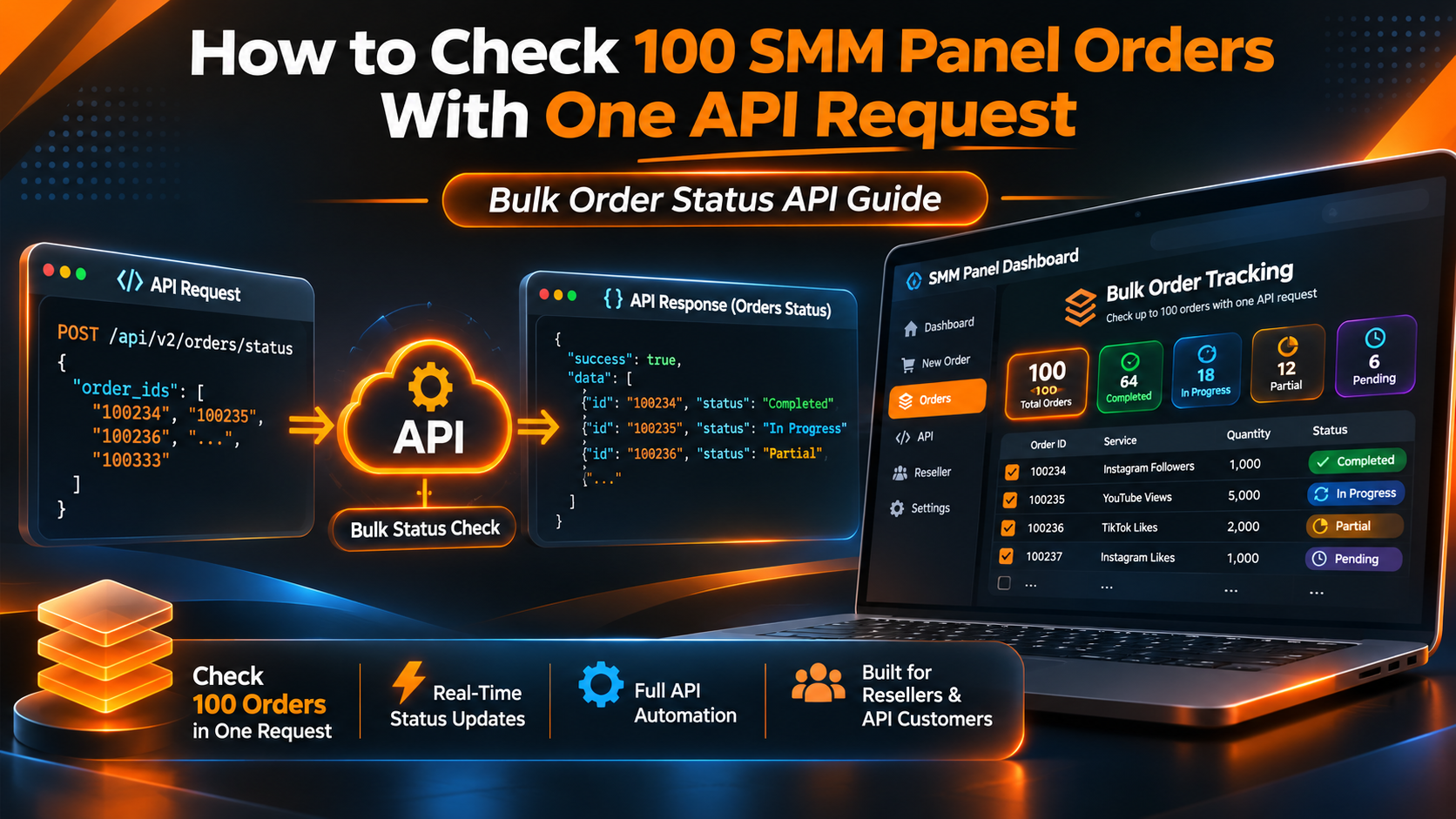
How to Check 100 SMM Panel Orders With One API Request
Managing a few social media service orders is relatively simple. You open your panel, find an Order ID, check the current status, and move on to the next request.
But what happens when your reseller business is handling hundreds of orders for different customers?
Checking every order individually can become time-consuming. It also creates more opportunities for outdated customer-facing statuses, incorrect supplier references, and unnecessary API traffic.
This is where an SMM panel bulk order status API becomes useful.
Instead of sending a separate request for every order, a compatible supplier API may allow a reseller to retrieve multiple order statuses in a single request.
For example, SMMECO documents a multiple-order status operation that accepts up to 100 comma-separated Order IDs per request.
This guide explains how that feature works, how to send the correct API parameters, how to interpret mixed responses, and how resellers can connect supplier results with their own customer orders.
We'll also include a practical PHP example using SMMECO's documented API structure.
What Is an SMM Panel Bulk Order Status API?
An SMM panel bulk order status API allows an application to retrieve the processing status of multiple supplier orders through one API request.
Instead of checking each order separately, the reseller sends a list of Order IDs.
The supplier responds with the available information for each requested order.
A typical workflow looks like this:
Reseller Database → Collect Supplier Order IDs → Send Batch Status Request → Parse Results → Update Internal Order Records
This can reduce repetitive requests and make reseller order management more efficient.
However, a successful API response does not mean every requested Order ID was valid.
Each result must still be checked individually.
Quick Answer: SMMECO supports checking up to 100 Order IDs in a single status request. Developers send action=status with an orders parameter containing comma-separated Order IDs, then process the returned JSON response separately for each order.
Why Bulk Order Tracking Matters for SMM Resellers
A reseller often manages two connected order records.
The first belongs to the reseller's own customer-facing panel.
The second belongs to the upstream SMM supplier.
These records may have different Order IDs.
For example:
Customer-facing Order ID: 58421
Supplier Order ID: 103587
Both numbers might describe the same underlying customer request, but they belong to different systems.
A reseller needs to preserve that relationship.
Without accurate mappings, a supplier's Completed result could accidentally be applied to the wrong customer order.
Bulk status tracking helps organize this process when combined with proper internal records.
Less Repetitive API Traffic
Suppose a reseller needs to check 100 supplier orders.
If the integration performs one request per order, it sends 100 HTTP requests.
If the supplier supports all 100 IDs in one batch, the same set may require only one HTTP request.
This can reduce network overhead and the number of individual API calls.
It does not guarantee that the supplier will process the request faster, but it can simplify the reseller's workflow.
More Consistent Order Monitoring
A scheduled status-checking process can review multiple accepted orders during each monitoring cycle.
The returned information can then be compared against stored statuses.
Easier Support Investigations
When a customer reports a delayed order, the reseller can inspect the supplier's latest recorded status without manually opening many separate pages.
Better Record Accuracy
A well-designed system can record status changes, response errors, and the time of the last successful check.
This helps distinguish fresh supplier data from outdated local records.
How SMMECO's Multiple Order Status API Works
SMMECO provides an official API reference for compatible integrations.
The documented details are:
API Endpoint
https://smmeco.com/api/v2
HTTP Method
POST
Response Format
JSON
Required Parameters
key— Your private SMMECO API key.action—status.orders— Comma-separated Order IDs, up to 100 per request.
The important detail is the plural parameter name.
Single Order Status
For one order, the documented parameter is:
order=101
Multiple Order Statuses
For several orders, the documented parameter is:
orders=101,102,103
Both operations use action=status, but the identifier parameter is different.
Using order when your integration expects to retrieve multiple IDs can cause an incorrect request.
Review the complete SMMECO API documentation before implementing the operation.
Example: Checking Multiple SMM Panel Order Statuses
Consider a reseller that has three supplier Order IDs:
101,102,103
These identifiers are fictional examples.
The application needs to retrieve their current statuses.
An illustrative request body would contain:
The application sends these parameters to SMMECO's documented API endpoint using HTTP POST.
The private key should remain on the reseller's server.
It should never appear in public browser-side JavaScript or a shared webpage.
Understanding the API Response
SMMECO's public documentation illustrates a multiple-status JSON response with individual Order IDs as keys.
For example:
This is the example structure published in the API documentation, not a live customer result.
Notice that the response contains two different types of entries.
Some Order IDs return status information.
Another returns an error.
A reseller integration must handle each result independently.
What Do the Bulk Order Status Response Fields Mean?
The API response may contain several fields for each valid order.
Status
The status field describes the processing state reported by the supplier.
Possible examples include Pending, In progress, Completed, Partial, and Canceled.
Charge
The charge field contains the charge recorded for the order.
This information can be useful for internal accounting and reconciliation.
However, developers should not assume that every status change creates an immediate refund or balance adjustment.
Start Count
The start_count field represents a baseline count associated with the order.
Its exact operational interpretation depends on the service.
Remains
The remains field generally indicates the quantity that the supplier records as outstanding.
Currency
The currency field identifies the currency associated with the recorded charge.
The documented SMMECO example uses USD.
For a detailed explanation of processing states and quantities, read our SMM Panel Order Status Guide.
PHP Example: Check Multiple SMM Orders With One Request
The following example shows how a PHP application can request several order statuses from SMMECO.
It uses server-side PHP and the documented API parameters.
The example demonstrates an authenticated, read-only request.
It does not create orders, request cancellations, or modify customer balances.
Important: The Order IDs are fictional. Replace them with accepted supplier Order IDs associated with your own authorized account.
The code also requires additional safeguards before production use, including input validation, logging, scheduling controls, response-schema validation, and database update logic.
It should not be pasted into a public website's Custom Header Code field.
How to Check More Than 100 SMM Orders
SMMECO's documented multiple-status operation supports up to 100 Order IDs in one request.
What if a reseller has 250 orders to check?
The application must divide them into smaller batches.
For example:
Batch 1: 100 Order IDs.
Batch 2: 100 Order IDs.
Batch 3: 50 Order IDs.
That means 250 orders require at least three status requests when using the documented maximum batch size.
The batches can be generated using PHP's array_chunk() function.
This is a structural example rather than a complete application.
Production software should also consider API usage restrictions and avoid unnecessary concurrent requests.
The maximum of 100 IDs per request is a batch-size limit, not a published guarantee about the number of API requests permitted per minute.
How to Match Supplier Orders With Customer Orders
Accurate order mapping is one of the most important parts of reseller automation.
A supplier Order ID should not automatically be treated as the customer's own Order ID.
Consider this hypothetical example:
A customer purchases a service through a reseller website.
The reseller assigns internal Order ID 54012.
The request is submitted to SMMECO through an authorized API integration.
If the supplier accepts the request, it returns supplier Order ID 86021.
The reseller stores both numbers.
Later, a bulk status request returns the current status for supplier Order ID 86021.
The reseller can use its internal mapping to update customer Order ID 54012.
What Information Should a Reseller Store?
A practical order record may include:
- Internal customer Order ID.
- Supplier identifier.
- External supplier Order ID.
- Selected Service ID.
- Customer's requested quantity.
- Last known supplier status.
- Last successful status-check timestamp.
- Relevant charge and currency details.
This helps prevent incorrect updates when several suppliers or customer accounts are involved.
For more information about supplier identifiers, see our SMM Panel Service ID Guide.
How to Handle Mixed Success and Error Responses
A bulk request can succeed at the HTTP level while individual order lookups fail.
For example, imagine the API returns:
Order 101: Completed.
Order 102: In progress.
Order 103: Incorrect order ID.
The third result should not prevent the application from correctly recording the first two statuses.
However, the failed lookup also should not be ignored.
A robust integration can process the results individually.
Valid Order Response
When the response contains a recognized status and the expected fields, the application can record the supplier's reported values.
Invalid Order Response
When the response contains Incorrect order ID, the application should flag that specific supplier reference for investigation.
Possible causes include an incorrect identifier, an outdated mapping, or an ID associated with another supplier.
The exact cause cannot be determined from the message alone.
Missing Order Response
If the response does not contain a requested Order ID, the application should not invent a status.
It can preserve the previous local record and report that the latest lookup did not provide usable information.
Entire Request Failure
A connection timeout, server error, or invalid JSON response can affect the full batch.
In that situation, preserve the previously verified statuses and record that the refresh was unsuccessful.
Key Principle: An API lookup error is not the same as an order being canceled.
Should Completed Orders Be Checked Repeatedly?
Different reseller systems use different monitoring policies.
A business may need to check active orders more frequently than orders already reported as Completed.
Repeatedly retrieving unchanged final statuses can create unnecessary API traffic.
However, a reseller may also have legitimate reasons to review selected completed orders, such as accounting reconciliation or support investigations.
A practical approach is to group orders by the business's monitoring requirements.
Active Orders
Orders currently reported as Pending, Processing, or In progress may require routine status checks.
Finalized Orders
Orders reported as Completed, Partial, or Canceled may need less frequent monitoring, depending on the provider's rules and reconciliation requirements.
Problem Orders
Orders with missing responses, invalid references, or disputed results should be handled separately.
There is no universal status-checking frequency suitable for every provider.
Use the supplier's published rules and your own operational needs to determine an appropriate schedule.
Bulk Order Status Checking vs Mass Order Submission
These features may sound similar, but they are not the same.
Bulk Order Status Checking
Retrieves information about multiple existing orders.
Its purpose is monitoring and record synchronization.
It does not create a new paid order.
Mass Order Submission
Allows several new service requests to be prepared or submitted through a supported ordering workflow.
Its purpose is reducing repetitive order entry.
The availability and exact submission format depend on the provider.
A reseller might use mass order functionality to manage multiple accepted submissions and later use an API to retrieve their statuses.
For more details, read our SMM Panel Mass Order Guide.
How Bulk Status Tracking Supports Customer Service
Reseller support teams often receive messages such as:
"Why is my order still pending?"
"Has my order finished?"
"Why did my order become partial?"
A well-maintained internal dashboard can make these questions easier to investigate.
For example, a support agent may be able to view:
Customer Order ID: 54012
Supplier Order ID: 86021
Last Reported Status: In progress
Last Successful Check: Recorded by the system
These are fictional values.
The agent can then compare the latest supplier status with the service's conditions.
This reduces the risk of giving customers unsupported explanations.
However, the reseller should still distinguish supplier-reported processing information from independently verified social platform results.
A Completed status does not automatically prove permanent engagement or guarantee a particular marketing outcome.
Common Bulk Order Status API Mistakes
Even a simple batch-status feature can produce problems if implemented incorrectly.
1. Using the Wrong Parameter Name
For SMMECO, individual status requests use order, while multiple-status requests use orders.
2. Sending More Than 100 IDs
The documented multiple-status operation supports up to 100 IDs per request.
Larger collections need to be divided into valid batches.
3. Confusing Service IDs With Order IDs
A Service ID identifies a catalog listing.
An Order ID identifies a submitted request.
4. Mixing Different Suppliers' IDs
An Order ID generated by another supplier should not be sent to SMMECO as though it belongs to a SMMECO order.
5. Treating HTTP Success as Full Batch Success
The response may contain valid results alongside individual lookup errors.
6. Exposing the API Key
Private credentials should be stored securely in a server-side environment.
Never expose them in browser JavaScript, public repositories, or screenshots.
7. Overwriting Valid Statuses After a Timeout
When a batch request fails, the application should preserve previous records rather than marking all affected orders as failed or canceled.
8. Checking Orders Too Frequently
Excessive polling can increase API traffic.
Choose a schedule appropriate for the provider's limits and your operational requirements.
For more troubleshooting guidance, read our SMM Panel API Errors Guide.
Why Choose an API-Compatible SMM Panel Provider?
For a reseller, supplier selection involves more than the advertised service prices.
An API-compatible supplier should support the operations required by the reseller's business.
Important considerations include:
Documented Endpoints
Developers should be able to identify the supported requests and required parameters.
Service Catalog Access
The integration may need to retrieve service information and current supplier rates.
Order Tracking
The supplier should provide a reliable way to request the current status of accepted orders.
Batch Operations
Where documented, batch-status operations may reduce the number of separate requests needed.
Clear Error Handling
A reseller needs to distinguish successful results from lookup errors.
Account and Pricing Conditions
The business should understand the supplier's actual service rates, available funding methods, and applicable terms.
Support and Documentation
Clear technical references can simplify initial integration and future troubleshooting.
For resellers comparing suppliers, the availability of these features may be as important as a low headline rate.
Does SMMECO Support API-Based Reseller Order Management?
Yes.
SMMECO publishes documentation for an API that supports several administrative operations.
These include retrieving service lists, submitting eligible orders, checking individual order statuses, checking multiple order statuses, and retrieving account balances.
Its multiple-order status operation supports up to 100 Order IDs per request.
This can be useful for reseller websites that need to monitor supplier orders and synchronize their own internal records.
What SMMECO Documents
Service List: Retrieve available service information.
Order Submission: Submit supported requests.
Single Order Status: Retrieve the status of an individual supplier order.
Multiple Order Statuses: Retrieve statuses for up to 100 supplier orders.
Balance: Retrieve account balance information.
Refill and Cancellation: Access documented operations, subject to their applicable conditions.
The API documentation does not establish guaranteed real-time updates, unrestricted polling, or automatic customer-facing synchronization.
Those capabilities should not be assumed.
For a broader introduction, visit our SMM Panel API Integration Guide for Resellers.
Frequently Asked Questions About SMM Panel Bulk Order Status APIs
Can I check 100 SMM panel orders in one API request?
Yes, if your supplier supports it. SMMECO documents a multiple-order status endpoint that accepts up to 100 comma-separated Order IDs in one request.
How do I check multiple SMMECO orders?
Send an authenticated POST request to https://smmeco.com/api/v2 with action=status and an orders parameter containing the relevant comma-separated supplier Order IDs.
What is the difference between order and orders?
In SMMECO's API, order identifies one order for a single-status request, while orders identifies multiple orders for a batch-status request.
Does bulk status checking create new orders?
No. The documented status operation retrieves information about existing orders. It is separate from the paid order-submission operation.
What happens if one Order ID is incorrect?
The API may return an error for that specific ID while returning valid statuses for other requested orders. Each result should be processed separately.
Can I check 500 SMM panel orders?
A reseller can divide 500 IDs into five batches of 100, subject to the supplier's access and request-frequency rules.
Does SMMECO return order charges and remaining quantities?
Its documented status response includes charge, start_count, status, remains, and currency for applicable successful lookups.
Can I use PHP for bulk SMM order tracking?
Yes. Server-side PHP can send an authenticated POST request, decode the JSON response, and process the returned order records.
Can I automatically update my customers' order statuses?
A reseller can build software that maps supplier Order IDs to internal customer orders and updates its own database. This requires implementation on the reseller's side.
How often should I check my orders?
There is no universal interval. Follow the supplier's published API requirements and choose a frequency appropriate for your order volumes and monitoring needs.
Is the API key safe to use in frontend JavaScript?
No. Private API credentials should be stored and used on trusted server-side systems, not exposed publicly in browser code.
Does a Completed status guarantee permanent results?
No. Completed describes the processing result reported by the supplier. It does not guarantee permanent retention, authentic engagement, or compliance with social media platform rules.
Final Thoughts: Simplify SMM Reseller Order Tracking
Managing hundreds of customer orders becomes easier when the reseller's systems can retrieve supplier information efficiently.
An SMM panel bulk order status API can reduce repetitive requests, help synchronize customer-facing records, and support more organized order monitoring.
However, the most important part of a reliable integration is not simply checking multiple IDs.
It is matching each supplier result to the correct internal order, handling errors independently, and preserving accurate records when a request fails.
SMMECO provides a documented multiple-status operation supporting up to 100 Order IDs per request.
For resellers evaluating an API-compatible supplier, this is a practical feature worth considering alongside service pricing, catalog availability, support, and applicable account conditions.
Explore SMMECO and review the official API documentation to understand the currently supported integration features.
Key Takeaway: Bulk status checking helps reseller businesses retrieve multiple order records efficiently, but accurate order mapping and error handling are essential for reliable automation.