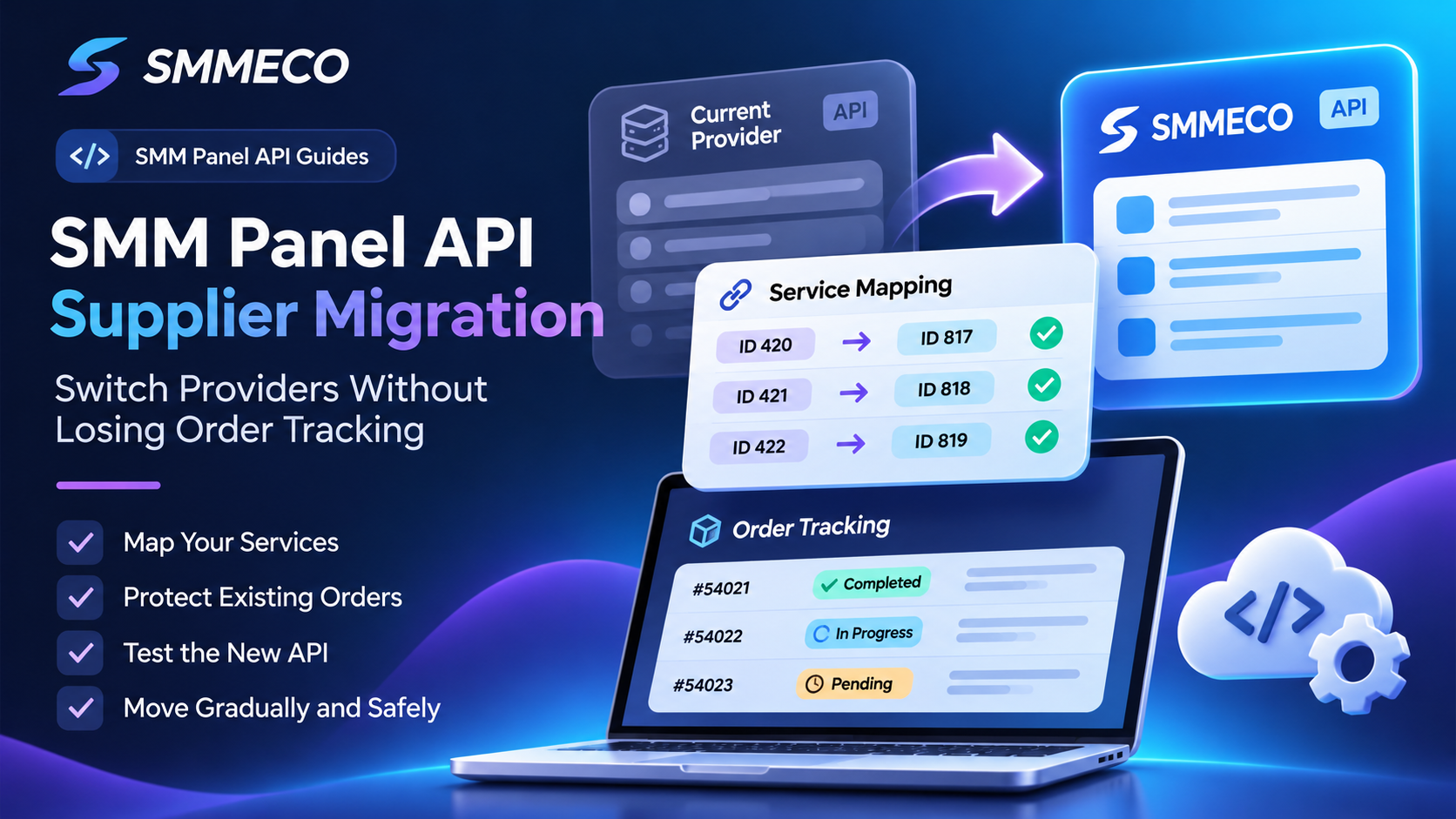
SMM Panel API Supplier Migration: How to Switch Providers Without Losing Order Tracking
Your reseller panel is already running. Customers can browse services, place orders, and track their requests.
But your current SMM supplier no longer fits your business.
Perhaps its prices have increased, its catalog has changed, or its API no longer supports the workflows you need.
You find another provider with more suitable rates and documented API access.
The next question is more complicated than simply replacing an API key.
How do you switch SMM panel API suppliers without breaking existing orders, sending requests to the wrong services, or losing customer tracking information?
This is where a proper supplier migration process becomes essential.
A reseller's system usually contains customer-facing Service IDs, supplier-specific Service IDs, active orders, account balances, and fulfillment records.
Changing the upstream provider can affect each of these components.
This guide explains how SMM panel API supplier migration works, how to preserve existing orders, how to verify new service mappings, and how to approach the transition without unnecessary disruption.
We'll use SMMECO as an example of an API-compatible SMM provider that resellers can evaluate when considering an alternative supplier.
What Is SMM Panel API Supplier Migration?
SMM panel API supplier migration is the process of moving new order fulfillment from one SMM service provider to another while preserving the reseller's existing customer records and supplier relationships.
The goal is not simply to connect a new API.
A successful migration must ensure that:
- New customer orders use approved service mappings.
- Existing orders remain connected to their original supplier.
- Customer-facing Service IDs remain consistent where possible.
- Supplier prices and quantity limits are verified.
- Active orders can still be monitored.
- Technical errors do not create duplicate paid submissions.
Quick Answer: To switch SMM panel API suppliers safely, import and validate the new supplier's service catalog, map your existing products to verified replacement services, preserve old supplier Order IDs, test the new connection, and move new orders gradually. Never automatically transfer unfinished supplier orders to another provider.
Why Do Resellers Change SMM Panel Providers?
Supplier migration can be a commercial decision, a technical decision, or both.
1. Supplier Pricing Changes
Some resellers compare upstream providers because their existing service rates have increased.
A new supplier may offer different prices for comparable categories.
However, a lower advertised rate does not necessarily mean two listings have identical requirements.
Service types, target formats, minimum quantities, refill conditions, and other specifications may differ.
For a deeper explanation of reseller costs, read our Wholesale SMM Panel Pricing Guide.
2. Limited API Functionality
A reseller's operations may become difficult when a provider lacks the API functions its software requires.
Important capabilities can include service-list retrieval, order submission, status tracking, and account balance checks.
Some businesses also need to check multiple accepted orders efficiently.
3. Changes in Service Availability
A provider may modify or discontinue certain services.
If those listings are central to a reseller's catalog, finding suitable alternatives may become necessary.
4. Order Management Problems
Unclear supplier records, missing order references, or difficult status tracking can increase administrative work.
A reseller may look for an API supplier with documentation that better fits its integration requirements.
5. Business Expansion
As a reseller grows, it may need additional supplier integrations or a more structured approach to service management.
However, using several providers also increases complexity.
The best decision depends on operational requirements, not simply the number of connected suppliers.
Before Switching: Understand Your Existing Architecture
A reseller typically maintains its own product catalog.
Each customer-facing listing may be connected to a separate service in an upstream supplier's system.
Consider a fictional example.
Your reseller panel offers a product with Local Service ID 420.
At the original supplier, the corresponding listing has Service ID 817.
If you later move that product to SMMECO, the candidate replacement will have a different supplier-specific Service ID.
The reseller's internal product can remain 420, but its upstream routing information must be updated carefully.
Local Service ID
Identifies the listing on your own website.
Supplier Service ID
Identifies the corresponding listing at the upstream provider.
Supplier Identifier
Identifies which provider owns that Service ID.
Supplier Order ID
Identifies an individual purchase accepted by that provider.
These identifiers have different purposes.
For additional background, see our SMM Panel Service ID Guide.
Step 1: Retrieve the New Supplier's Service Catalog
Before changing any production order routes, obtain the candidate provider's current service information.
SMMECO documents a service-list operation through its API.
The public reference identifies:
Endpoint: https://smmeco.com/api/v2
Method: HTTP POST
Action: services
Authentication: Private API key
The returned catalog can include Service IDs, names, service types, categories, rates, minimum quantities, maximum quantities, and refill or cancellation capability flags.
This information provides a starting point for evaluating replacement listings.
However, catalog metadata alone may not describe every service condition.
Review the full service description and current ordering requirements where available.
Example: A Supplier Service Catalog Response
The following illustrative JSON example shows the relevant response structure.
It contains a fictional service and fictional price.
It is not a live SMMECO catalog listing.
For the actual field definitions, consult the official SMMECO API documentation.
Step 2: Create a Verified Service Mapping
One of the most common migration mistakes is assuming two similarly named services are equivalent.
For example, two suppliers might both display a listing named Video Views.
That does not establish that they support the same content formats, prices, order limits, or processing conditions.
A safer migration uses a mapping review process.
Compare the Platform and Target Type
Determine whether both services support the same platform and target format.
A service requiring a video URL should not be replaced with one intended for a channel or profile.
Compare the Pricing Unit
Verify whether both listings use a rate per 1,000 units or another billing method.
A per-package rate should not be treated as a per-1,000 rate.
Compare Minimum and Maximum Quantities
A replacement listing may reject quantities that the old supplier previously accepted.
Compare Service-Specific Conditions
Review relevant availability, refill, cancellation, and other published service requirements.
Require Approval Before Switching
When the information is incomplete, mark the mapping as requiring manual review.
Do not route customer orders to a candidate service simply because its name looks similar.
Example: An SMM Panel Supplier Mapping Record
This illustrative mapping connects one local reseller product with an existing supplier service and a candidate replacement.
The example intentionally marks the replacement as not yet approved.
That prevents the record from being interpreted as an instruction to begin sending real orders.
Step 3: Protect Existing Customer Orders
This is the most important operational rule of the migration.
An existing supplier order belongs to the supplier that accepted it.
Changing the provider for future orders must not change the supplier reference stored against older orders.
Consider a fictional situation.
A customer places an order on your website.
Your reseller assigns Local Order ID 54021.
Your original supplier accepts the request and assigns Supplier Order ID 87012.
Later, you connect your reseller panel to SMMECO.
That existing order should still be associated with the original supplier.
Its status queries, support history, and eligible refill or cancellation operations should remain routed to the provider that accepted it.
Why Can Order Tracking Break During Migration?
A reseller may incorrectly store only the supplier Order ID without identifying the supplier.
When the integration changes, the system may try to check the old Order ID through the new provider.
The new provider may return an invalid Order ID error.
This does not mean the original order has disappeared.
It means the application is querying the wrong supplier.
What Should Be Stored?
For every submitted supplier order, maintain:
- Internal customer Order ID.
- Supplier identifier.
- Supplier Order ID.
- Selected supplier Service ID.
- Submission timestamp.
- Last successfully retrieved status.
- Applicable charge and currency information.
This allows old and new provider records to coexist.
SQL Example: Preserve the Original Supplier for Existing Orders
The following illustrative database structure stores the supplier identifier alongside the external Order ID.
The schema is intended for developer education and should be adapted to the reseller's database design.
Its purpose is to demonstrate a key principle: switching providers for new purchases should never rewrite the supplier ownership of existing purchases.
Step 4: Test the New SMM Panel API Connection
After reviewing the candidate service mappings, verify the new integration in a controlled environment.
A test should distinguish between read-only operations and operations that may create a charge.
Test Service List Retrieval
Confirm that the application can retrieve a valid service catalog.
Check the response format and required fields.
Test Authentication and Error Handling
Verify that credentials are loaded securely from the server.
Test how the integration handles invalid credentials, unexpected JSON, connection failures, and unavailable services.
Test Supplier Service Mapping
Verify that each approved local product points to the correct supplier and Service ID.
Review Quantity Restrictions
Confirm that eligible quantities match the supplier's current minimum and maximum limits.
Test Status Handling With Authorized Records
If a genuine accepted test order is available, use its confirmed Order ID to verify status lookup behavior.
Avoid Uncontrolled Paid Testing
The add operation can create a paid supplier order.
Do not run test submissions against a production account without understanding their cost and consequences.
For more troubleshooting scenarios, read our SMM Panel API Errors Guide.
Step 5: Approve New Supplier Routes Before Going Live
After testing, the reseller should create an explicit approval process for each replacement service.
A mapping should not become active merely because it exists in the database.
An approval decision may consider:
Correct Service Type: The intended target and service type match.
Verified Supplier ID: The new listing exists in the current provider catalog.
Supported Quantity: The service accepts the quantities offered to customers.
Pricing Review: The reseller's selling price remains appropriate.
Applicable Conditions: Published service rules have been reviewed.
Operational Readiness: The integration can handle API responses and errors safely.
PHP Example: Approve a Supplier Route Before Using It
The following example demonstrates a local routing validation function.
It checks that a mapping is approved before allowing an application to use it.
The example does not call an external API and cannot create a paid order.
Its fictional mapping remains unapproved to demonstrate a safe failure.
In production, route approval should also be protected by appropriate authentication, database controls, and an audit history.
Step 6: Move New Orders Gradually
A migration does not have to happen all at once.
A gradual transition can make troubleshooting easier.
Start With a Small Approved Service Group
Choose a limited number of verified listings.
Ensure the new provider can support the intended target types and quantities.
Keep Existing Orders on Their Original Supplier
Only new purchases assigned to approved replacement mappings should use the new provider.
Monitor API Errors
Watch for invalid Service IDs, unsupported parameters, supplier-side rejections, and unexpected response structures.
Verify New Order References
When the new supplier accepts an order, store its returned Order ID against the local purchase.
Expand Only After Reviewing Results
Once the new integration behaves as expected, additional services can be considered for migration.
Do not assume that a successful transition for one category guarantees compatibility with all categories.
Step 7: Maintain Tracking During the Transition
A reseller may temporarily operate two supplier connections.
The first continues handling outstanding orders submitted before migration.
The second accepts new orders through approved mappings.
This requires supplier-aware status routing.
For example:
Old Order: Check its status through the previous supplier.
New Order: Check its status through SMMECO if SMMECO accepted the request.
Do not send every historical Order ID to the newly configured default supplier.
Can SMMECO Check Multiple Orders at Once?
Yes.
SMMECO's API documentation describes checking up to 100 supplier Order IDs in one request using the orders parameter.
However, those IDs must belong to the correct supplier account.
A batch should not mix Order IDs belonging to different providers.
If your reseller uses multiple suppliers, group outstanding orders by their actual supplier before making status requests.
For more on interpreting the returned statuses, see our SMM Panel Order Status Guide.
What Happens to Pending Orders When You Switch Suppliers?
Pending or In progress orders should not automatically be resubmitted to the new provider.
The original supplier may already be processing them.
Submitting another order for the same customer request can result in an additional charge or conflicting fulfillment activity.
A Safer Approach
Keep the existing order linked to its original supplier.
Continue monitoring it under that provider's available status system.
If the order encounters a problem, follow the original supplier's support and cancellation conditions.
Only consider a new submission when the original transaction has been properly reconciled and a separate authorized purchase is appropriate.
A migration itself is not evidence that an existing order has failed.
Can You Change SMM Suppliers Without Changing Your Website?
Often, yes—provided the reseller software supports configurable supplier mappings and the relevant API integration.
The customer's visible product listing can remain the same while the backend supplier route changes for future orders.
However, this should not be taken for granted.
Some hosted reseller systems may have restrictions on which providers can be connected.
Other systems may require additional integration work or manual mapping changes.
The ability to migrate without altering the customer-facing website depends on the reseller's platform architecture.
What Should Remain Consistent?
Where appropriate, preserve the customer's local Order ID, order history, payment records, and support references.
If the underlying service conditions change materially, update the customer-facing description and obtain any necessary approval rather than quietly substituting a different service.
Common SMM Panel API Migration Mistakes
Replacing API Credentials Without Reviewing Mappings
A new API key does not make old Service IDs valid at another provider.
Assuming Service Names Are Universal
Similar names may conceal different technical requirements.
Moving Existing Orders to the New Supplier
Orders accepted by the previous supplier must remain attached to their original provider.
Ignoring Price Units
Compare equivalent pricing models, not just displayed numbers.
Losing Refill and Cancellation History
Existing requests and eligibility conditions may still be associated with the original supplier.
Automatically Retrying Uncertain Paid Orders
A timeout does not prove that a supplier rejected a request.
Never create another paid order simply because a migration-related network error occurred.
Disabling the Old Connection Too Early
If active orders remain with the old supplier, the reseller may still need that connection or another supported method for monitoring and support.
Migrating Every Service Simultaneously
A phased transition can help isolate mapping and compatibility problems.
How to Compare the Old and New API Supplier
A migration decision should consider several factors rather than only the lowest advertised price.
Current Service Rates
Review prices for the actual services your reseller sells.
Catalog Compatibility
Determine how many important listings have appropriate replacement options.
API Operations
Confirm that the new supplier documents the features your software needs.
Order Tracking
Review available single-order and bulk-order status operations.
Service Conditions
Check target requirements, limits, availability, and applicable refill or cancellation options.
Security
Assess how API credentials are created, stored, and protected.
Payment and Account Conditions
Review supported funding methods, minimum deposits, and relevant policies.
Support
Determine how unresolved orders or integration problems can be investigated.
A supplier should be selected using verifiable conditions rather than unsupported claims about delivery speed, guaranteed results, or universal lowest prices.
Why Consider SMMECO When Changing API Suppliers?
SMMECO provides an API-compatible SMM platform intended for customers and resellers.
Its public API documentation includes several operations relevant to a supplier migration.
Service Catalog Retrieval
The services operation provides listed Service IDs, rates, and quantity restrictions.
This information can be used to evaluate candidate replacement mappings.
Order Submission
The add operation supports eligible supplier order submissions.
A successful response includes a supplier Order ID that should be stored by the reseller.
Single and Multiple Order Status Lookup
The status operation supports checking accepted orders, including a documented multiple-order format.
Account Balance Retrieval
The balance operation provides account balance information for the authenticated account.
Refill and Cancellation Operations
The documentation describes supported refill and cancellation requests subject to applicable service conditions.
These functions help developers assess whether SMMECO is compatible with their reseller software.
However, SMMECO does not publicly promise a one-click migration service that transfers another provider's existing orders into SMMECO.
A reseller remains responsible for its own historical order records, service mapping, and integration behavior.
For more information, review the SMMECO API Reference.
SMM Panel Supplier Migration Checklist
Before directing new purchases to another supplier, verify the following:
- The new supplier's API endpoint and authentication are correct.
- The latest service catalog has been retrieved successfully.
- Candidate services have been reviewed individually.
- Service type and target requirements are compatible.
- Minimum and maximum quantities are acceptable.
- Pricing units and reseller rates have been reviewed.
- Approved service mappings are stored separately from unapproved candidates.
- Existing customer orders retain their original supplier references.
- Outstanding orders can still be monitored.
- New accepted Order IDs are stored against the correct local orders.
- Timeout and duplicate-prevention procedures are in place.
- Support and reconciliation procedures are documented.
A migration should only proceed to broader production use after these checks have been completed.
Frequently Asked Questions About SMM Panel API Supplier Migration
What is SMM panel API supplier migration?
It is the process of changing the upstream SMM provider used for new customer orders while preserving the reseller's existing records, mappings, and order history.
Can I change my SMM panel provider without losing customers?
In many cases, customers can remain on the same reseller website. Whether the supplier can be changed without disruption depends on the reseller software, integration design, and service compatibility.
Do Service IDs stay the same when switching providers?
No. Supplier Service IDs are provider-specific. A local reseller Service ID may remain unchanged, but the upstream mapping must be verified.
What happens to my old supplier orders?
Existing orders should remain associated with the provider that accepted them. Their status and support records must not automatically be redirected to the new supplier.
Can SMMECO be used as an API supplier for resellers?
Yes. SMMECO publishes an API reference supporting service retrieval, eligible order submission, status checks, and account-related operations.
Does SMMECO automatically import orders from another provider?
The public API documentation does not establish an automatic order migration feature. Historical supplier orders should be maintained in the reseller's own records.
Can I connect multiple SMM panel API suppliers?
Some reseller systems support multiple suppliers. Each provider requires its own service mappings, credentials, order references, and applicable controls.
Is switching to a cheaper SMM provider always better?
No. Rates are only one factor. Service compatibility, API reliability, policies, and operational costs also matter.
Should I move pending orders to the new provider?
Not automatically. The old supplier may already have accepted or begun processing those orders.
How can I prevent incorrect service mapping?
Match services by verified supplier-specific identifiers and specifications. Require approval before using an alternative listing for live purchases.
How can I test a new supplier API safely?
Begin with permitted read-only operations such as retrieving the service list. For paid submissions, use controlled and authorized testing with the applicable account conditions.
Can I keep the same customer-facing prices?
Possibly, but pricing must be reviewed against the new supplier's rates and your business costs. A migration can change the economics of existing products.
Why should I keep the previous supplier connection?
You may need it to track and reconcile orders accepted before the migration. The required retention period depends on outstanding orders and supplier conditions.
What is the safest way to switch SMM suppliers?
Validate the new catalog, approve service mappings, preserve historical supplier ownership, test the integration, and migrate new purchases in controlled stages.
Final Thoughts: Switch SMM API Suppliers Without Losing Control
Changing an SMM panel supplier can create new commercial opportunities for a reseller business.
However, the technical transition should be handled carefully.
The most important principle is to separate new supplier routing from existing supplier order ownership.
Service IDs must be remapped and verified before new requests are submitted.
Pending orders should continue to be tracked through their original supplier.
And a migration should never turn an uncertain paid submission into an automatic duplicate order.
SMMECO provides documented API operations that resellers can evaluate when considering a new upstream supplier.
If you're reviewing API-compatible providers for your reseller business, explore SMMECO and the official API documentation to assess its current catalog and integration features.
Key Takeaway: A safe supplier migration preserves old orders, validates new service mappings, and changes fulfillment routes only when the replacement integration is ready.