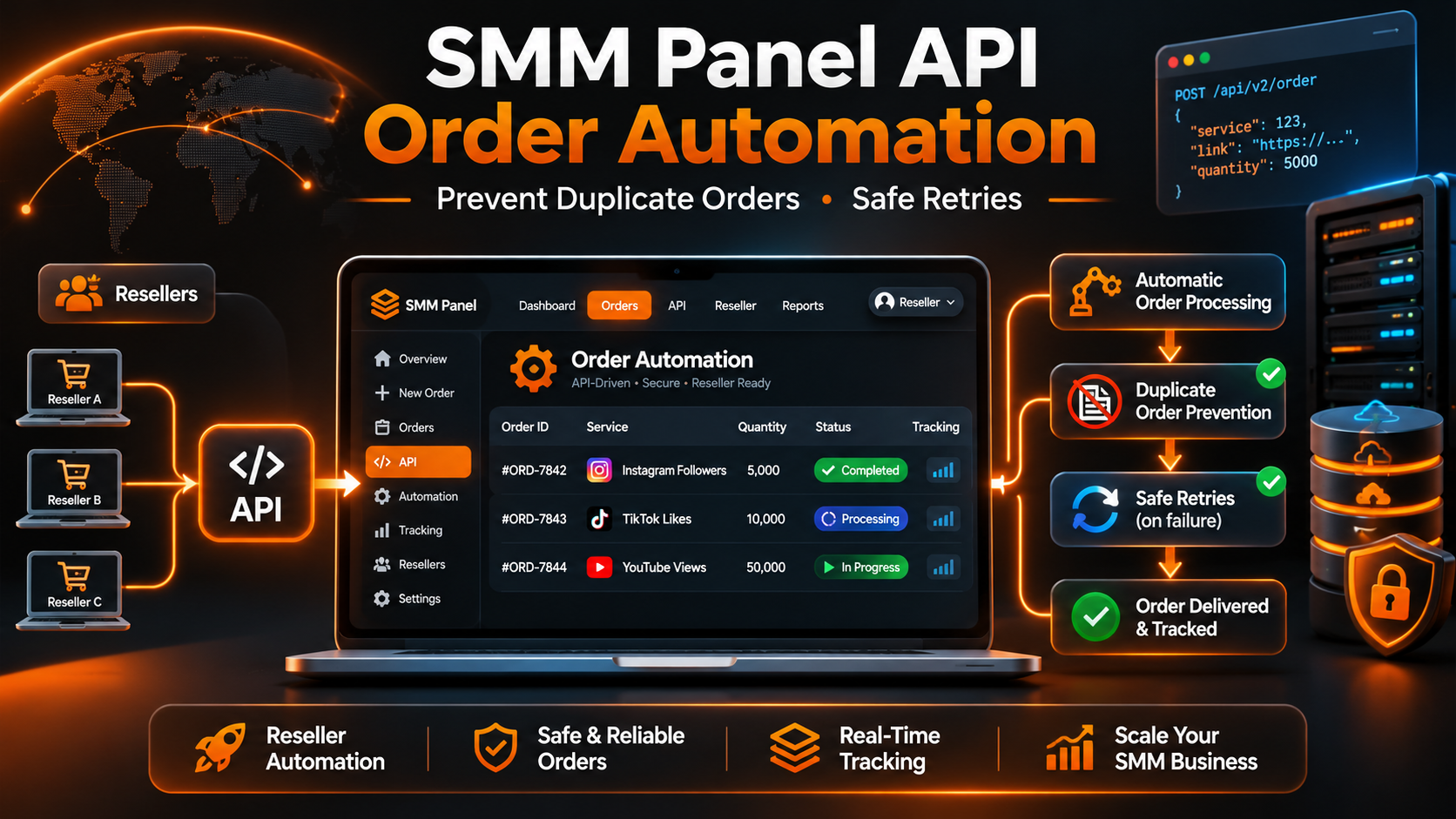
SMM Panel API Order Automation: Prevent Duplicate Orders & Safe Retries
A customer places an order through your reseller panel. Your system sends the request to the supplier, but the API connection times out before a confirmation arrives.
Your software now faces an important question:
Should it send the same order again?
An automatic retry may seem convenient. However, the supplier could have accepted and charged the first request even though your application never received the response.
Sending another paid request can create a duplicate order, an additional charge, and a customer support problem.
This is one of the most important challenges in SMM panel API order automation.
For reseller businesses, automation should do more than submit orders quickly. It should maintain accurate records, prevent unintended duplicate purchases, handle uncertain API responses, and keep customer-facing information consistent with supplier records.
In this guide, we'll explain how to design a safer order submission workflow using local order references, atomic processing, careful retry decisions, and reliable status tracking.
We'll use the documented API structure of SMMECO, an SMM panel offering API access for compatible reseller integrations.
What Is SMM Panel API Order Automation?
SMM panel API order automation is the process of using software to validate, submit, record, and monitor service orders through a supplier's API.
Instead of manually entering every request into an upstream supplier's dashboard, a reseller can connect its own ordering system to supported API operations.
A typical workflow includes:
- A customer submits an order through the reseller website.
- The reseller creates a unique internal purchase record.
- The system validates the service and request details.
- A processing worker claims the order.
- The integration submits the supported request to the supplier.
- The supplier returns an Order ID when the request is accepted.
- The reseller stores that Order ID and monitors its status.
This workflow can reduce repetitive administrative work.
However, it also introduces new technical responsibilities.
Network failures, simultaneous processing jobs, incorrect mappings, and unexpected supplier responses must be handled carefully.
Quick Answer: Reliable SMM panel API order automation uses a unique internal purchase reference, validates service data, permits only one worker to submit each purchase, records accepted supplier Order IDs, and pauses uncertain submissions for reconciliation instead of automatically repeating them.
Why Duplicate SMM Panel Orders Happen
Duplicate orders can occur at several points in an automated system.
Understanding these situations helps developers choose the correct safeguards.
Customers Click the Order Button Twice
A customer may click the checkout button repeatedly because the page appears slow.
If the backend treats every click as a completely new purchase, it might submit multiple requests.
Disabling the button temporarily can improve the experience, but frontend controls alone are insufficient.
The server must recognize repeated submissions associated with the same logical purchase.
Two Workers Process the Same Order
A reseller may run background jobs to submit pending purchases.
If two workers select the same unprocessed order before either marks it as claimed, both could attempt to send it to the supplier.
This is a concurrency problem.
It requires a database-level safeguard rather than simply slowing down the queue.
A Scheduled Job Runs Again
A cron task may execute before its previous run has finished.
If both executions process the same records without proper ownership controls, duplicate supplier submissions can occur.
An API Request Times Out
This is especially dangerous.
The supplier might accept the order and generate an Order ID, but the network connection may close before the response reaches the reseller.
The reseller cannot safely infer that the order was rejected.
A Successful Response Is Not Saved
A supplier may return a valid Order ID, but the reseller's database update could fail.
The order exists upstream while the local application still appears to be waiting for confirmation.
Automatically repeating the request could create another paid order.
What SMMECO's Order API Actually Supports
SMMECO publishes an official API reference describing the supported operations and parameters.
The documented endpoint is:
API URL: https://smmeco.com/api/v2
Method: HTTP POST
Response format: JSON
For a standard quantity-based order, the API documents the following parameters:
key: Private API credential.
action: add
service: Selected supplier Service ID.
link: Target link.
quantity: Requested quantity.
Other service types may require different parameters.
For example, the documentation also describes custom-comment and username-related order formats, plus optional drip-feed fields for applicable services.
A reseller should inspect the selected service type rather than assuming every listing accepts identical inputs.
When an order is accepted, the documented API response contains an order field.
That value is the supplier's Order ID.
Does SMMECO Document an Idempotency Key?
The public API documentation does not currently establish a dedicated idempotency key for the order-creation operation.
That distinction matters.
An idempotency key is a mechanism some APIs use to recognize repeated attempts associated with one logical operation.
When supported and implemented correctly, it can help prevent duplicate transactions.
However, developers should not invent an unsupported API parameter and assume the supplier will use it to prevent duplicate orders.
For SMMECO integrations, local duplicate protection and reconciliation procedures are essential.
Validate Orders Before Sending Paid Requests
Preventing duplicate orders starts before the HTTP request.
A reseller should validate the intended purchase against its local records and the supplier's available service information.
Confirm the Supplier and Service ID
A Service ID is meaningful within the catalog of the provider that issued it.
The same numerical ID at another supplier may identify a completely different listing.
Store the supplier identifier and Service ID together.
For more details, read our SMM Panel Service ID Guide.
Check Minimum and Maximum Quantities
SMMECO's service-list response includes min and max values.
The requested quantity should satisfy the current service requirements.
Avoid relying indefinitely on a previously cached service specification.
Validate the Target
Confirm that the submitted link or username follows the selected service's documented requirements.
A video-related listing may accept a different target format from a profile-related listing.
Verify Pricing and Account Conditions
Check the supplier's current published rate and the account's applicable payment conditions.
The SMMECO API also documents a balance operation.
However, a balance check is not a reservation of funds and does not guarantee that a later paid submission will succeed.
Create an Internal Purchase Reference
Assign every legitimate customer purchase its own internal identifier.
That identifier should remain stable when the customer refreshes the page, repeats the same checkout action, or encounters a temporary connection problem.
A customer who intentionally makes a separate purchase should receive a separate internal identifier.
Example API Request: Adding an Order
The example below illustrates the structure of a standard quantity-based request using SMMECO's documented API parameters.
It uses placeholder values rather than real credentials, service identifiers, or customer data.
The request must be sent from a trusted server-side environment.
Important: Sending a real action=add request with valid credentials and service details can create a paid order.
Therefore, developers should never use a production API account for uncontrolled testing.
Example API Response: Successful Submission
A successful order-creation response includes the supplier's accepted Order ID.
The example below follows the response structure published in SMMECO's API reference.
Once an accepted Order ID is received, the reseller should store it immediately against the original customer purchase record.
This relationship is critical for order tracking, accounting, and support.
If the supplier Order ID is already known, there is no reason to repeat the paid submission merely to check whether processing has finished.
Use the documented status operation instead.
Why an API Timeout Does Not Mean an Order Failed
Consider the following hypothetical situation.
An agency receives a customer order and begins submitting it to an SMM supplier.
The request reaches the supplier.
The supplier accepts the purchase and creates an Order ID.
However, the network connection closes before the response reaches the agency's server.
The agency sees a timeout.
What does the timeout prove?
Only that the application did not receive a usable response within the expected period.
It does not prove that the supplier rejected the purchase.
The Unsafe Response
The application immediately resends the same paid request.
If the supplier accepted the first request, the second request may create another order.
The Safer Response
The application records that the submission outcome is unknown.
It prevents another automatic submission for that logical purchase.
A support agent or reconciliation process checks the supplier's available order history and other reliable records.
Once the outcome is established, the local order record can be corrected.
Key Principle: An unknown result requires investigation, not an automatic second purchase.
This is consistent with the HTTP standard's guidance on retrying requests that can cause side effects.
Use Separate Internal States for Order Submission
One of the most useful design improvements is to separate the reseller's submission workflow from the supplier's fulfillment status.
These represent different processes.
Internal Submission States
A reseller can define local technical states such as:
Queued: The purchase has been accepted locally but has not yet been claimed for supplier submission.
Submitting: One worker has claimed the purchase and may be communicating with the supplier.
Submitted: A valid supplier Order ID has been received and stored.
Needs Review: The submission outcome is uncertain or local records need reconciliation.
Rejected: A definitive supplier rejection has been recorded without an accepted supplier order.
These are recommended internal labels, not official SMMECO order statuses.
Supplier Fulfillment States
After a supplier Order ID is confirmed, the supplier may report statuses such as Pending, In progress, Completed, Partial, or Canceled.
Those statuses describe the supplier's processing workflow.
A local state of Needs Review should never automatically be displayed as a supplier Canceled status.
For an explanation of supplier fulfillment labels, see our SMM Panel Order Status Guide.
SQL Example: Keep One Record per Customer Purchase
A reseller database should enforce uniqueness for each logical customer purchase.
The example below illustrates a simple table structure for associating a local purchase with a supplier submission.
The critical element is the unique local_order_id.
This helps the application recognize repeated attempts to process the same local purchase.
However, a unique database row is only one layer of protection.
The integration also needs an atomic process for assigning the submission attempt to one worker.
For a production system, additional fields for audit records, financial reconciliation, request validation, and error handling will usually be necessary.
PHP Example: Claim a Submission Without Duplicates
The next example demonstrates a server-side PHP function that attempts to claim a queued order using a conditional database update.
Only a worker that successfully changes the record from Queued to Submitting should proceed to the supplier's paid submission operation.
If another worker has already claimed the record, the second worker must stop.
This pattern helps prevent simultaneous workers from sending the same local purchase twice.
However, it does not eliminate uncertainty after a network failure.
If a worker crashes after claiming an order, the application must not automatically return that order to the queue and resend it without reconciliation.
The PHP example is an atomic-claim demonstration, not a complete checkout or payment implementation.
Safe Retries vs Unsafe Retries in SMM Panel APIs
Not every API operation should have the same retry policy.
Some operations retrieve information.
Others may create or change business records.
The distinction is important.
Service List Retrieval
A services request retrieves catalog information.
If the request fails because of a temporary connection problem, a controlled retry may be appropriate.
The application should still respect provider access limits and validate the response.
Order Status Lookup
A status request retrieves information about an existing order.
A controlled retry may be appropriate when the lookup fails.
However, a failed lookup must not overwrite a previously confirmed order status with an invented result.
Account Balance Lookup
A balance request retrieves account information.
It should not be confused with reserving funds or confirming a specific order charge.
Paid Order Submission
An add request may create a paid order.
Its result must be handled more cautiously.
If the outcome is uncertain, the application should stop automatic retries until the original attempt has been reconciled.
Refill and Cancellation Requests
Refill and cancellation operations may change existing records.
A reseller should follow the supplier's documented requirements and avoid uncontrolled resubmission.
Practical rule: Classify API operations according to their side effects before deciding whether automatic retry is appropriate.
How to Recover an Order After a Timeout
When a paid submission produces an uncertain result, the reseller needs a recovery procedure.
Step 1: Preserve the Original Purchase Record
Keep the local Order ID, supplier identity, Service ID, target information, requested quantity, and submission timestamp.
Do not overwrite the record with a new purchase.
Step 2: Prevent a Second Automatic Submission
Mark the purchase as requiring reconciliation or preserve its unresolved submission state.
Make sure scheduled workers cannot accidentally reclaim it as a fresh purchase.
Step 3: Inspect Reliable Supplier Evidence
Review any securely retained response information and the supplier's available order history.
Check whether a supplier Order ID was previously stored by another part of the system.
Balance changes may provide useful context, but they are not sufficient on their own to prove which specific order was accepted.
Step 4: Contact Support When Necessary
If the available records do not establish the result, contact the supplier through its official support channels.
Provide appropriate order details and the approximate submission time.
Do not share private API credentials.
Step 5: Resolve the Local Record
If an accepted supplier order is confirmed, attach the correct supplier Order ID to the original purchase.
If a definitive rejection is established, record it accurately.
If the result cannot be determined, preserve the unresolved state rather than guessing.
PHP Example: Check a Confirmed Order ID
Once the supplier Order ID has been confirmed, the reseller can use SMMECO's documented status operation to retrieve its latest processing state.
This is a read-only lookup.
It does not require another paid order submission.
The PHP example below illustrates a single-order status request using the private API key stored in a server environment variable.
For multiple confirmed orders, SMMECO also documents a batch-status operation that accepts up to 100 comma-separated Order IDs.
However, a status lookup cannot reliably recover an unknown order when the reseller never received its supplier Order ID. That situation still requires reconciliation.
How to Prevent Duplicate Orders in Cron Jobs and Queues
Automated reseller systems often use scheduled tasks or background workers to process pending purchases.
Without coordination, these processes can overlap.
Claim Orders Atomically
An order should move from Queued to Submitting through a database operation that succeeds for only one worker.
Checking the status first and updating it later, in two unprotected steps, can create a race condition.
Keep a Stable Internal Reference
Use the same internal purchase ID across checkout, queue processing, supplier submission, and customer support.
Avoid Automatic Requeue After Uncertainty
A timed-out or crashed worker should not cause the same paid purchase to be automatically submitted again.
Recovery must establish whether the original request was accepted.
Separate Submission Jobs From Tracking Jobs
A submission job creates eligible new supplier orders.
A tracking job retrieves statuses for previously confirmed supplier Order IDs.
Keeping these functions separate reduces the risk of accidentally using the paid submission action during a routine status refresh.
Record Useful Operational Events
A reseller may record:
- The internal purchase reference.
- Supplier identity and Service ID.
- Submission timestamp.
- Worker identifier.
- Last successful response classification.
- Accepted supplier Order ID, when known.
- Local state transitions.
Sensitive credentials should never be written into ordinary application logs.
Should Resellers Block All Orders for the Same Link?
No.
This is an important distinction.
Duplicate prevention should stop unintended repetition of one logical purchase, not automatically prevent every separate customer purchase involving the same target.
For example, one customer might intentionally submit two separate authorized orders at different times.
Those are different business transactions.
However, clicking the same checkout button twice for a single purchase should not automatically create two supplier orders.
The most reliable distinction is the internal purchase identity, not simply a comparison of links.
Provider-specific restrictions on overlapping orders should still be respected.
For information about target and service compatibility problems, read our SMM Panel Order Not Starting Guide.
How to Match Customer Orders With Supplier Order IDs
Resellers frequently manage two different identifiers for one purchase.
Internal Order ID: Created by the reseller's own website.
Supplier Order ID: Returned by the upstream API after acceptance.
These IDs should be stored separately.
Consider this hypothetical example:
A customer places purchase CUSTOMER-54021.
SMMECO accepts the supplier request and returns Order ID 835102.
The reseller records the relationship between those two identifiers.
Later, a status lookup for supplier Order ID 835102 returns the supplier's processing state.
The reseller uses the stored mapping to display the appropriate information for CUSTOMER-54021.
This relationship must remain accurate even when a reseller connects to multiple suppliers.
Two providers may use the same numerical Order ID for unrelated purchases.
Therefore, supplier identity must also be part of the mapping.
Security Considerations for SMM Panel API Automation
An automated reseller integration may have access to private API credentials and account funds.
Security controls are therefore essential.
Store API Keys on the Server
Do not embed private API keys in frontend JavaScript, public website templates, or downloadable examples.
Use appropriate server-side configuration and access controls.
Validate All Incoming Order Data
Check allowed quantities, target formats, Service IDs, and service-specific requirements before making supplier requests.
Protect Administrative Operations
Only authorized processes should be able to change order submission states or resolve uncertain purchases.
Avoid Logging Secrets
Operational logs should contain enough information for troubleshooting without exposing credentials or unnecessary customer data.
Follow Supplier Limits
Do not assume unrestricted API request frequency.
Review the provider's published requirements and applicable terms.
SMMECO's Terms of Service include conditions relevant to API access and reseller responsibilities.
Why Order Automation Matters When Choosing an SMM Provider
Resellers often compare suppliers primarily by service prices.
Price is important, but technical compatibility also affects the operating cost of a reseller business.
A low supplier rate may be less useful if the reseller's integration requires constant manual investigation.
When evaluating an API-compatible SMM provider, consider:
Documented Service Catalog
Can the application retrieve Service IDs, prices, and quantity limits?
Clear Order Submission Format
Are the required order parameters documented?
Order ID Confirmation
Does the supplier return a reference for accepted purchases?
Status Tracking
Can confirmed orders be monitored through a documented operation?
Error Visibility
Can the integration distinguish valid responses from application errors?
Account Management
Are supported balance and account-related functions documented?
Support and Policies
Can unresolved submissions be investigated through official support channels?
These capabilities do not guarantee uninterrupted operations, but they help developers assess whether a provider supports the workflow their business needs.
How SMMECO Supports Reseller API Integrations
SMMECO publishes documentation for several API operations relevant to reseller software.
The documented functions include:
Service List: Retrieve available service details.
Add Order: Submit an eligible service request.
Order Status: Retrieve information for an accepted supplier order.
Multiple Order Statuses: Check up to 100 confirmed Order IDs in one request.
Balance: Retrieve account balance information.
Refill and Cancellation: Access supported functions according to their applicable conditions.
These operations give developers a documented interface for building compatible reseller workflows.
However, the public API reference does not establish a built-in duplicate prevention guarantee for paid order creation, a documented idempotency parameter, or unrestricted automatic retries.
Those capabilities should not be assumed.
For a general introduction to the connection process, read our SMM Panel API Integration Guide for Resellers.
SMM Panel Order Automation Checklist
Before enabling automated paid submissions in a reseller business, review the following controls.
Unique Purchase Record: Every logical customer purchase has a stable internal ID.
Supplier Mapping: The correct supplier and Service ID are stored.
Input Validation: Service-specific requirements and quantity limits are checked.
Atomic Worker Claim: Only one worker can process an eligible local purchase.
Accepted Order Storage: A returned supplier Order ID is saved promptly.
Timeout Handling: Unknown outcomes are held for investigation.
No Blind Paid Retries: An uncertain add request is not automatically repeated.
Independent Status Monitoring: Confirmed orders are checked using status operations.
Audit Records: Important submission and reconciliation events are recorded.
Credential Security: Private API keys remain on trusted servers.
Policy Compliance: The requested service and its use are reviewed against applicable supplier and social platform rules.
An automation system should pass these checks in a controlled environment before handling substantial live order volumes.
Frequently Asked Questions About SMM Panel API Order Automation
What is SMM panel API order automation?
It is a software workflow for validating, submitting, recording, and tracking SMM service requests through a supplier's documented API.
How can I prevent duplicate SMM API orders?
Use a unique internal purchase reference, atomic worker ownership, persistent supplier Order ID mapping, and a reconciliation process for uncertain paid submissions.
Can I automatically retry an SMM API order after a timeout?
Not safely without documented retry guarantees or reliable proof that the first request was never applied. A timeout may occur after the supplier has already accepted an order.
Does SMMECO document an idempotency key?
Its publicly accessible API reference does not currently document a dedicated idempotency key for action=add.
Does a failed HTTP request mean the order was rejected?
No. The outcome can remain uncertain, particularly when the request may have reached the supplier before the connection failed.
What is the difference between a local Order ID and a supplier Order ID?
The local ID identifies the customer's purchase within the reseller's system. The supplier ID identifies an accepted request at the upstream provider.
Can two cron jobs create duplicate orders?
Yes, if they can process the same purchase concurrently. An atomic database claim can help ensure that only one worker proceeds.
Should I block every order submitted to the same link?
No. Duplicate protection should identify repeated attempts associated with one logical purchase, while allowing separate legitimate purchases subject to the service's conditions.
Is checking an order status the same as submitting an order?
No. A status request retrieves information about an existing order. An add request can create a new paid order.
Can PHP automate SMM panel orders?
Yes. PHP can support supplier requests, local order records, background jobs, and status lookups. Production implementations still require secure database operations and careful error handling.
Does SMMECO support API-based order tracking?
Yes. Its public documentation includes single-order and multiple-order status operations.
What should I do if the supplier accepted an order but my database update failed?
Investigate and reconcile the original purchase record using available evidence. Do not submit another paid request merely to compensate for a local database failure.
Can a supplier guarantee that API automation will never fail?
No. Network failures, application errors, supplier restrictions, and local integration problems can still occur. Reliable software must handle those situations without making unsupported assumptions.
Final Thoughts: Build Safer SMM Panel API Automation
A reliable SMM panel API order automation workflow is not defined by how quickly it sends requests.
Its real value comes from accuracy.
Resellers need to know which customer purchase was submitted, which supplier accepted it, whether an Order ID was recorded, and what to do when the outcome is uncertain.
Unique local purchase records and atomic processing controls can reduce duplicate submissions.
Careful status tracking can improve order visibility.
And a clear reconciliation procedure can help prevent a temporary API problem from becoming a second paid purchase.
SMMECO offers documented API operations that compatible reseller systems can use for service retrieval, order submission, and status monitoring.
For resellers evaluating an API-compatible supplier, review the available operations at SMMECO.com and the official API reference.
Key Takeaway: Automate order management, but never allow an uncertain paid submission to become an automatic duplicate order.