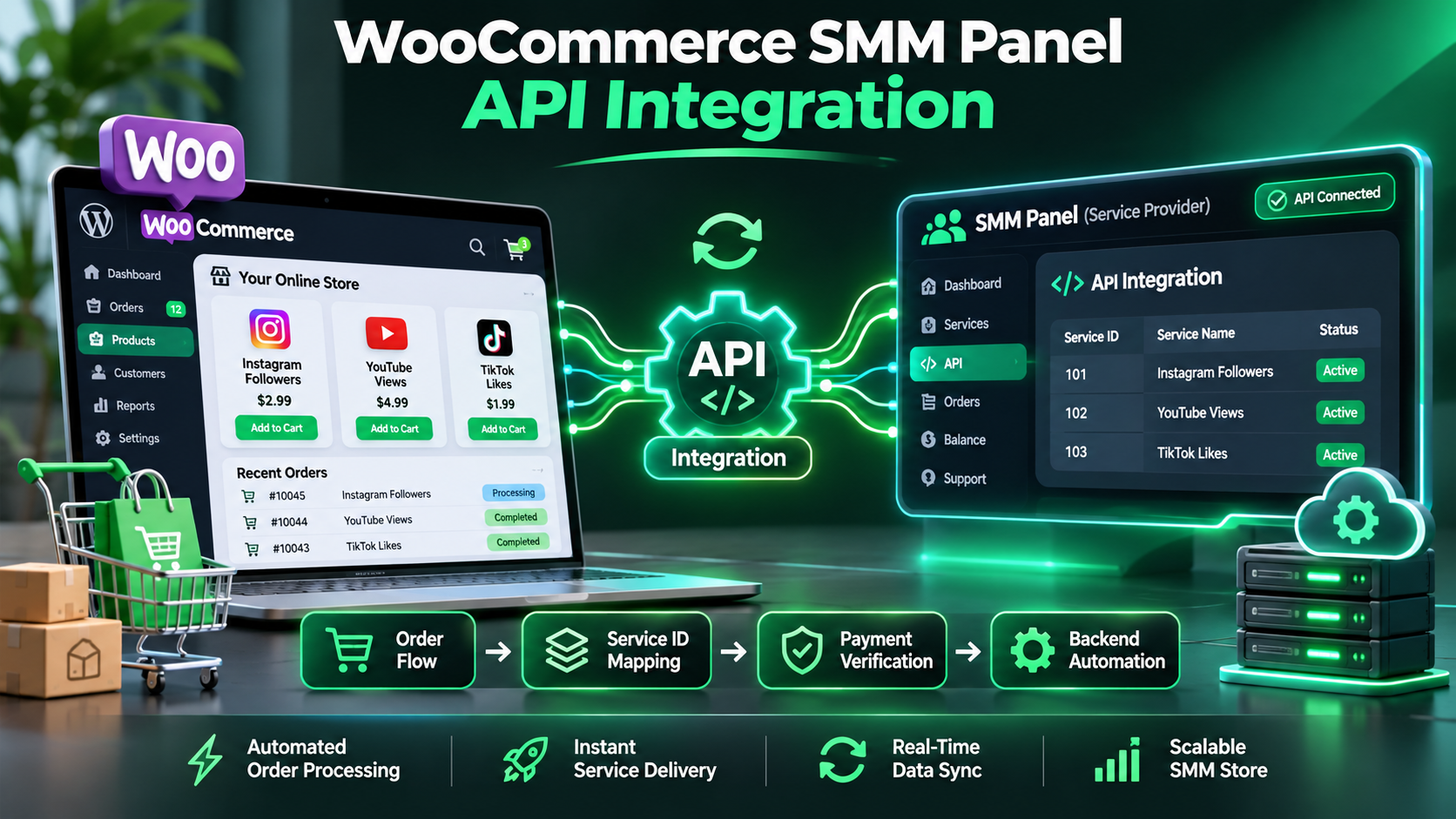
WooCommerce SMM Panel API Integration: Connect Your Store to an SMM Supplier
WooCommerce gives businesses a flexible way to sell products and services through WordPress.
For an SMM reseller, that flexibility creates an interesting opportunity: customers can browse a familiar storefront, select available services, complete checkout, and receive order updates through a system the business already manages.
However, connecting a WooCommerce store to an SMM supplier requires more than adding a payment method or copying an API key into a plugin.
A reseller must connect products to the correct supplier services, validate customer targets, confirm payments, prevent duplicate submissions, and maintain an accurate relationship between WooCommerce orders and supplier Order IDs.
That is the purpose of WooCommerce SMM panel API integration.
In this guide, we'll explain how a WooCommerce store can communicate with an API-compatible SMM provider, what information must be stored, and how to design a safer technical workflow.
We'll use SMMECO, an SMM panel with a publicly documented API, as an example supplier.
The focus is on building a reliable integration rather than promising an instant, one-click setup.
What Is WooCommerce SMM Panel API Integration?
WooCommerce SMM panel API integration is a connection between a WordPress store using WooCommerce and a third-party SMM supplier's application programming interface.
The store manages the customer-facing shopping experience.
The supplier API provides supported operations such as retrieving service information, submitting eligible orders, and checking existing order statuses.
A typical architecture looks like this:
Customer → WooCommerce Checkout → Verified Payment → Reseller Backend → SMM Supplier API → Supplier Order Record
The reseller's backend handles the technical communication.
The supplier API key should never be exposed to the customer's browser.
Quick Answer: A WooCommerce store can connect to a compatible SMM panel API through a server-side integration. The developer maps WooCommerce products to supplier Service IDs, validates order details, waits for verified payment, submits approved requests through a controlled workflow, and tracks confirmed supplier Order IDs.
Why Use WooCommerce for an SMM Reseller Store?
WooCommerce can be relevant for businesses that already operate a WordPress website.
It provides several features commonly needed for an online storefront.
Product Management
A reseller can create customer-facing product listings and organize them into suitable categories.
Shopping Cart and Checkout
WooCommerce provides a framework for checkout and compatible payment integrations.
Customer Accounts
Stores can use WordPress and WooCommerce account features for customer access and order history.
Order Administration
WooCommerce offers tools for reviewing orders, payments, and customer information.
Extensions and Development APIs
Developers can extend WooCommerce through hooks, plugins, and supported data interfaces.
However, these features do not mean WooCommerce natively understands every SMM service type.
A supplier integration still needs custom logic for Service IDs, target links, quantities, and order-status reconciliation.
What Does SMMECO Provide for WooCommerce Developers?
SMMECO documents an HTTP API for compatible external applications.
The publicly documented endpoint is:
API URL: https://smmeco.com/api/v2
Method: HTTP POST
Response: JSON
Available documented actions include:
services — Retrieve service information.
add — Submit an eligible order.
status — Retrieve an existing order's status.
balance — Retrieve account balance information.
refill — Request an eligible refill.
refill_status — Retrieve refill-status information.
cancel — Request supported cancellation operations.
The API provides the supplier-side interface.
Your WooCommerce website must implement the logic required to connect that interface to its own products and orders.
For full parameters and examples, review the SMMECO API Documentation.
Is There an Official SMMECO WooCommerce Plugin?
SMMECO's publicly accessible API documentation does not establish an official, maintained WooCommerce integration plugin.
Therefore, customers should not assume they can install a named plugin and activate complete SMMECO order automation without additional configuration.
A WooCommerce integration may instead use:
- A custom WordPress plugin.
- An independently developed server-side connector.
- A compatible third-party integration product.
- A specialized reseller application connected to WooCommerce.
Any third-party extension must be evaluated for compatibility, security, maintenance, and correct support for the supplier's API.
Why Is This Distinction Important?
A plugin may advertise generic SMM API support but still use different parameter names or expect a different response format.
For example, one supplier may document a specific format for bulk status checks or refill requests.
A connector must follow the actual provider documentation rather than assume all SMM APIs are identical.
Step 1: Design Your WooCommerce Product Catalog
Before connecting an API, determine how your customer-facing products will work.
A WooCommerce product is not automatically the same thing as a supplier service.
For example, your storefront might sell a quantity-based digital service.
The supplier catalog might identify the corresponding listing with a numerical Service ID.
Your integration needs to store that relationship.
WooCommerce Product ID
The identifier assigned by WooCommerce to the store's product.
Supplier Service ID
The identifier assigned by the SMM provider to the upstream service listing.
Supplier Identifier
The provider that owns the upstream Service ID.
These values should be stored separately.
Why Not Match Products by Name?
Names can change or appear similar across different supplier services.
A service called Video Views at one provider may have different requirements from a similarly named service at another.
The integration should use approved, provider-specific Service IDs.
For more details, read our SMM Panel Service ID Guide.
Example: Map a WooCommerce Product to a Service ID
The PHP example shown below this heading demonstrates how a developer can read a supplier Service ID from WooCommerce product metadata.
It uses WooCommerce's product data interface.
The fictional product identifier is included for educational purposes.
A production plugin should provide an authenticated administrative interface for assigning and reviewing supplier Service IDs.
A customer must not be allowed to arbitrarily overwrite this mapping.
What Else Should the Mapping Store?
For a more complete integration, consider storing:
Supplier identity: The provider associated with the listing.
Service ID: The approved upstream identifier.
Service type: The category and required input format.
Pricing unit: Whether the listing uses a rate per 1,000 units or another supported pricing structure.
Quantity restrictions: The current minimum and maximum.
Last verified timestamp: When the mapping was last checked.
Mapping status: Whether the integration is permitted to use the listing.
These details help keep the storefront aligned with the supplier catalog.
Step 2: Retrieve the Supplier Service Catalog
A WooCommerce integration needs a way to access the supplier's current service information.
SMMECO's services action returns documented catalog fields, including Service IDs, names, rates, minimum quantities, maximum quantities, and refill or cancellation flags.
This information can help a reseller review available listings before activating them on the storefront.
However, a catalog response should not be copied into customer-facing products without validation.
Why Validate the Catalog?
A successful HTTP response does not automatically establish that every returned entry is suitable for sale.
The integration should check whether the response has the expected structure and whether each selected service meets the reseller's requirements.
It should also avoid overwriting a previously valid catalog when the API request fails.
Example: Read the SMMECO Service Catalog From WordPress
The example below this heading uses WordPress's HTTP request functions to retrieve service information from SMMECO.
It is a read-only request.
The example expects the private API key to be available as a protected server-side configuration value.
The response is checked before its contents are used.
Important: This example does not create WooCommerce products automatically.
Product creation and updates should be handled through a separate, validated process.
Should the Service Catalog Be Updated Automatically?
A reseller may choose periodic catalog synchronization.
However, an automatic update should consider supplier pricing changes, quantity restrictions, and service availability.
A store should not publish an unsupported price merely because an API response changed.
For businesses managing frequent catalog changes, documented price monitoring and approval rules can help reduce mistakes.
Step 3: Collect the Correct Customer Target Information
SMM services can require different customer inputs.
A product-related listing may require a video URL, profile URL, username, or other supported value.
Some service types also require a quantity.
Others may have specialized submission requirements.
WooCommerce does not automatically know which fields a particular supplier service requires.
A custom integration must implement this logic.
Use Service-Specific Product Fields
A product that targets a social media video may require a video URL.
A different product may require an account identifier.
The exact inputs should reflect the selected supplier service.
Validate Input on the Server
Client-side validation can improve the shopping experience.
However, browser-side checks can be bypassed.
The backend must independently validate submitted information before creating any upstream request.
Preserve the Submitted Target
The customer's approved target information should be associated with the relevant WooCommerce order item.
A multi-item checkout may contain several different services and targets.
The integration should not assume that one order-level URL automatically applies to every product in the cart.
Do Not Trust Client-Provided Supplier IDs
The customer may choose a storefront product, but the actual upstream Service ID must come from the reseller's approved server-side mapping.
This prevents a buyer from manipulating supplier parameters through a modified browser request.
Step 4: Validate Payment Before Supplier Submission
This is one of the most important stages of WooCommerce SMM panel integration.
A customer reaching the thank-you page does not, by itself, prove that a payment was successfully completed.
Some gateways use asynchronous notifications or delayed payment confirmation.
A reseller must wait for the relevant payment state to be verified through WooCommerce and its configured gateway.
Why Is This Important?
If an integration sends a paid supplier order before the customer's payment is confirmed, the reseller may incur costs for a transaction that was never successfully paid.
Similarly, an integration that submits again whenever a checkout page reloads may create duplicate upstream orders.
Understand WooCommerce Order States
WooCommerce has its own payment and fulfillment statuses.
These are different from the supplier's SMM order-processing statuses.
For example:
WooCommerce Processing: The store has recognized payment and the order awaits the relevant fulfillment process.
Supplier In progress: The upstream provider reports that the service request is being processed.
The two values do not describe exactly the same event.
Do not automatically mark a WooCommerce order Completed merely because a supplier request was accepted.
The store's fulfillment workflow should define when the customer's order is considered fulfilled.
Step 5: Use Background Jobs for Supplier Processing
A supplier API request can take time or encounter temporary failures.
Submitting it directly inside the customer's checkout request can create unnecessary delays and make failure handling more difficult.
WooCommerce uses Action Scheduler for various background operations.
A compatible custom integration can use a queue to separate payment processing from supplier submission.
The general workflow becomes:
Verified Payment → Queue Job → Validate Mapping → Submit Approved Request → Store Supplier Order ID
However, background jobs introduce their own responsibility: preventing two workers from submitting the same paid supplier request.
A scheduled job being unique in the queue is not, by itself, a permanent guarantee against duplicate supplier transactions.
What Should Be Validated in the Worker?
Before any supplier submission, verify:
- The WooCommerce order exists.
- The payment has been confirmed.
- The relevant order item has not already been submitted.
- The supplier and Service ID mapping are approved.
- The target and quantity are valid.
- The current supplier service supports the request.
- The application has a reliable method to record an accepted supplier Order ID.
If any essential information is missing, the request should be held for review.
Example: Queue a Paid Order for Manual Supplier Review
The PHP example displayed below this heading demonstrates how WooCommerce can queue a review task after a payment-status change.
The worker retrieves the WooCommerce order and provides a place for the developer to implement validations.
It intentionally does not call SMMECO's paid action=add operation.
This matters because a short code snippet cannot safely implement an entire production purchasing workflow.
A real integration also needs durable duplicate prevention, order-item-level tracking, controlled credentials, and reconciliation of uncertain API outcomes.
Why Use a Custom WordPress Plugin?
Server-side functions, hooks, and order processing logic should live in a properly maintained WordPress plugin or equivalent supported extension architecture.
They do not belong in public HTML or Perfect Panel Custom Header Code.
The Header Code accompanying this article displays examples for readers; it does not execute a WooCommerce integration.
Step 6: Submit an Approved Order to SMMECO
Once payment and supplier requirements have been verified, the backend may prepare a supported supplier request.
SMMECO documents the add action for eligible orders.
For a standard quantity-based service, the documented fields include:
key: Private API key.
action: add.
service: Supplier Service ID.
link: Target link.
quantity: Requested quantity.
Some specialized service types require additional or different fields.
The correct request structure must be selected based on the service specification.
What Does SMMECO Return?
The public API reference shows a successful order-creation response with an order field.
That value identifies the newly accepted supplier order.
The reseller should store it against the correct WooCommerce order item.
What If the Request Times Out?
A timeout does not prove the supplier rejected the request.
The supplier could have accepted the order even though the response was lost.
A safe integration must preserve the uncertain state and investigate before resubmitting.
Automatic repeated paid requests can create duplicate charges.
For general API troubleshooting, see our SMM Panel API Errors Guide.
Step 7: Store WooCommerce and Supplier Order IDs Separately
A WooCommerce order and an upstream supplier order are different records.
Consider a fictional example.
WooCommerce Order ID: 5201.
WooCommerce Order Item ID: 8204.
SMMECO Supplier Order ID: 94012.
The reseller should preserve the relationship between the order item and the supplier reference.
The supplier ID must not replace the WooCommerce Order ID.
Why Are Order Item IDs Important?
A single WooCommerce checkout can contain several products.
Each product may require a separate upstream service request.
For example, one customer purchase might contain two different services.
The store has one customer-facing order but potentially two supplier orders.
Therefore, it is often better to maintain supplier references at the order-item level rather than rely on only one supplier ID per WooCommerce order.
WooCommerce Data Storage
WooCommerce provides supported data access methods for reading and updating order information.
Developers should avoid assumptions about the underlying database tables.
This is particularly relevant to WooCommerce's High-Performance Order Storage architecture.
Step 8: Track Supplier Orders Without Changing Payment Records
After the supplier accepts an order, the reseller can retrieve its status using the documented status API action.
SMMECO supports single-order lookups and a multiple-status format for up to 100 confirmed supplier Order IDs.
A reseller can use this information to update its own administrative and customer-facing fulfillment records.
However, supplier status and WooCommerce payment status remain separate.
Avoid Confusing Supplier Completion With Payment Completion
WooCommerce payment completion concerns the merchant's transaction with the customer.
Supplier completion concerns the upstream service request.
One should not be automatically treated as proof of the other.
What Should Customers See?
The store can provide appropriate customer-facing labels based on confirmed supplier information.
For example:
Awaiting Supplier Submission: Payment is confirmed, but the integration has not yet submitted the request.
Submitted to Supplier: A valid supplier Order ID has been recorded.
Supplier Processing: The supplier reports that processing is underway.
Supplier Completed: The supplier reports a completed processing state.
These are suggested reseller-side display labels, not native WooCommerce status names.
What Happens if One WooCommerce Order Contains Several Services?
A multi-item WooCommerce order creates additional integration requirements.
Each eligible item may need its own:
- Approved supplier mapping.
- Validated target URL or username.
- Quantity.
- Supplier submission record.
- Supplier Order ID.
- Supplier status history.
For example, a customer could purchase two separate approved digital services in one checkout.
The reseller should not use the same supplier identifier or target information for both unless that is actually correct.
A mistake at this stage can cause one customer order to be partially fulfilled while the store incorrectly reports that the entire checkout has finished.
The integration should aggregate item-level fulfillment results according to a clearly defined policy.
WooCommerce SMM Panel Pricing: What Should Resellers Check?
A WooCommerce storefront has its own product prices.
The supplier has separate service rates.
Those values need not be identical.
For quantity-based services, the reseller may use a rate calculation based on the supplier's actual pricing unit.
However, pricing depends on service specifications.
Supplier Rate
The cost listed by the upstream provider.
Store Selling Price
The amount charged to the customer through WooCommerce.
Payment Processing Expenses
Any applicable transaction or settlement costs.
Operational Expenses
Support, maintenance, refunds, reconciliations, and other business costs.
A reseller should consider these factors before setting selling prices.
WooCommerce's standard product pricing does not automatically create a quantity-based SMM pricing calculator.
Specialized pricing behavior requires appropriate product configuration or custom development.
API Security for WooCommerce Reseller Stores
Supplier API keys should remain on trusted server infrastructure.
Do not place private credentials in:
- Public JavaScript.
- WordPress page-builder blocks.
- Theme HTML output.
- Browser-accessible configuration.
- Client-side AJAX payloads.
- Public repositories.
Use Server-Side Authentication
A WordPress plugin should communicate with the upstream API from the server.
Customer-facing requests must pass authentication, authorization, and input validation before any relevant supplier operation is permitted.
Restrict Administrative Configuration
Only authorized administrators should be able to change supplier credentials and service mappings.
Avoid Logging API Credentials
Diagnostic tools should record useful error categories without exposing private keys.
Protect Against Duplicate Paid Orders
Retries should be designed according to the side effects of each API operation.
Read-only requests and paid order creation must not share the same retry policy.
Can WooCommerce Automatically Synchronize SMM Service Prices?
A reseller can build a price synchronization workflow using a provider's documented service-list information.
However, neither WooCommerce nor the supplier API guarantees that such synchronization is automatically configured.
A production implementation should compare incoming rates with existing values, validate the service mapping, and apply approved updates.
Unexpected price changes may require manual review.
Incorrect automatic pricing could cause the reseller to sell below cost or display misleading prices.
Common WooCommerce SMM API Integration Mistakes
Connecting the API Key in Frontend Code
This exposes the supplier credential to visitors.
Sending Supplier Orders Before Payment Confirmation
A checkout page view is not proof of successful payment.
Using the Same Supplier Order ID for Multiple Items
Each upstream submission needs accurate item-level mapping.
Trusting Service IDs Submitted by Customers
Supplier IDs should come from approved server-side mappings.
Retrying Paid Requests After Every Timeout
An uncertain response does not establish that no order was created.
Treating Supplier Status as WooCommerce Payment Status
These systems track different events.
Ignoring Product Quantity Requirements
The supplier may reject unsupported quantities.
Assuming Every SMM Plugin Supports SMMECO
Generic compatibility claims must be tested against actual API parameters.
Assuming a Queue Prevents All Duplicates
Action Scheduler can manage background tasks, but durable submission records and concurrency controls are still required.
When Is WooCommerce a Good Fit for an SMM Reseller?
WooCommerce can be an option when a business already maintains a WordPress storefront and needs compatible product, checkout, and customer-account functionality.
It can also be useful when the business has the development resources to maintain a secure custom integration.
However, WooCommerce may not be the most efficient choice for every reseller.
A dedicated hosted SMM panel can already include specialized ordering features, supplier connections, and service catalog tools.
Businesses should compare their operational needs, development budget, and maintenance responsibilities before choosing a platform.
Why Consider SMMECO as a WooCommerce API Supplier?
SMMECO provides a documented SMM panel API covering service retrieval, supported order submission, status lookups, and account operations.
These features can be used as the supplier-side foundation for a compatible integration.
API Service Catalog
Developers can retrieve documented service metadata, including IDs, rates, and limits.
Order Submission
Supported requests can be sent through the documented add operation.
Order Status Tracking
Accepted supplier orders can be monitored using their confirmed Order IDs.
Multiple Order Statuses
The documented API supports retrieving up to 100 supplier order statuses in a single request.
Account Balance Checks
Developers can retrieve the authenticated account's reported balance.
These capabilities make SMMECO worth evaluating when selecting an upstream provider.
However, the public documentation does not establish an official WooCommerce plugin, guaranteed automatic WordPress product synchronization, or one-click WooCommerce setup.
Those features must be implemented or independently verified.
WooCommerce SMM API Integration Checklist
Before deploying a production connector, verify the following:
Supplier API: The endpoint and required parameters match the current documentation.
Secure Credentials: The API key is protected on the server.
Product Mapping: WooCommerce products use approved supplier Service IDs.
Input Validation: Customer targets and quantities satisfy service requirements.
Payment Verification: Paid upstream requests are not triggered by unverified checkout events.
Background Processing: Supplier work is handled through an appropriate controlled queue.
Duplicate Prevention: Each logical purchase can create only its intended supplier submission.
Order Mapping: Supplier Order IDs are stored against the correct WooCommerce order items.
Failure Recovery: Timeouts and uncertain paid responses are held for reconciliation.
Status Monitoring: Supplier results update fulfillment records without corrupting payment information.
Data Compatibility: WooCommerce's supported order APIs are used instead of unsafe assumptions about database structure.
Policy Compliance: The services and intended uses are reviewed against applicable platform and supplier rules.
Frequently Asked Questions About WooCommerce SMM Panel API Integration
Can WooCommerce connect to an SMM panel API?
Yes. A compatible server-side integration can connect WooCommerce to an SMM supplier using the provider's documented API.
Does SMMECO provide an API for resellers?
Yes. SMMECO publishes an API supporting service retrieval, eligible order submission, status checks, and additional account operations.
Is there an official SMMECO WooCommerce plugin?
The publicly available API documentation does not establish an official WooCommerce plugin. A custom or independently verified compatible connector may be required.
Can WooCommerce automatically submit SMM orders?
It can be configured to do so through an appropriately developed integration, but the workflow must validate payment, service details, and duplicate-submission controls.
How should WooCommerce products be mapped to supplier services?
Use approved supplier-specific Service IDs stored in protected product configuration or associated metadata.
Should I send an SMM API order from the thank-you page?
No. Merely viewing a thank-you page should not trigger paid supplier submission. The workflow should rely on verified payment and durable backend processing.
Can one WooCommerce order contain multiple SMM services?
Yes, but the integration must manage each relevant order item and supplier submission separately.
Does WooCommerce support background processing?
WooCommerce uses Action Scheduler for various background tasks. Custom integrations can use suitable scheduling mechanisms when implemented correctly.
Can I sync supplier prices automatically?
A developer can build this capability using the supplier's documented service data, but safe synchronization requires validation and appropriate update controls.
Is a WooCommerce Order ID the same as an SMM supplier Order ID?
No. They identify records in different systems and must be stored separately.
Can I track SMMECO orders through API?
Yes. SMMECO documents single-order and multiple-order status operations.
Can I store the SMMECO API key in a page builder?
No. Private API credentials should be used only in trusted server-side code or protected configuration.
Does SMMECO guarantee compatibility with every WooCommerce theme or plugin?
No such universal compatibility guarantee is established by its public API documentation.
Is WooCommerce better than a dedicated SMM panel?
It depends on the business. WooCommerce offers general storefront flexibility, while dedicated SMM platforms may provide more specialized ordering workflows.
Final Thoughts: Connect WooCommerce to a Suitable SMM Supplier
WooCommerce SMM panel API integration can help businesses connect a familiar WordPress storefront to an upstream SMM service provider.
However, a reliable connection requires more than an API key.
Product mappings, customer inputs, payment confirmation, order-item records, background processing, and duplicate prevention all need to work together.
A safe implementation also keeps supplier status separate from WooCommerce payment status.
SMMECO provides publicly documented API operations that developers can evaluate as part of such an integration.
If you're considering an API-compatible supplier for your reseller website, explore SMMECO and review the official API documentation for its supported functionality.
Key Takeaway: WooCommerce can provide the storefront, while a compatible SMM supplier API provides upstream service operations. The reseller's server-side integration must securely connect the two.