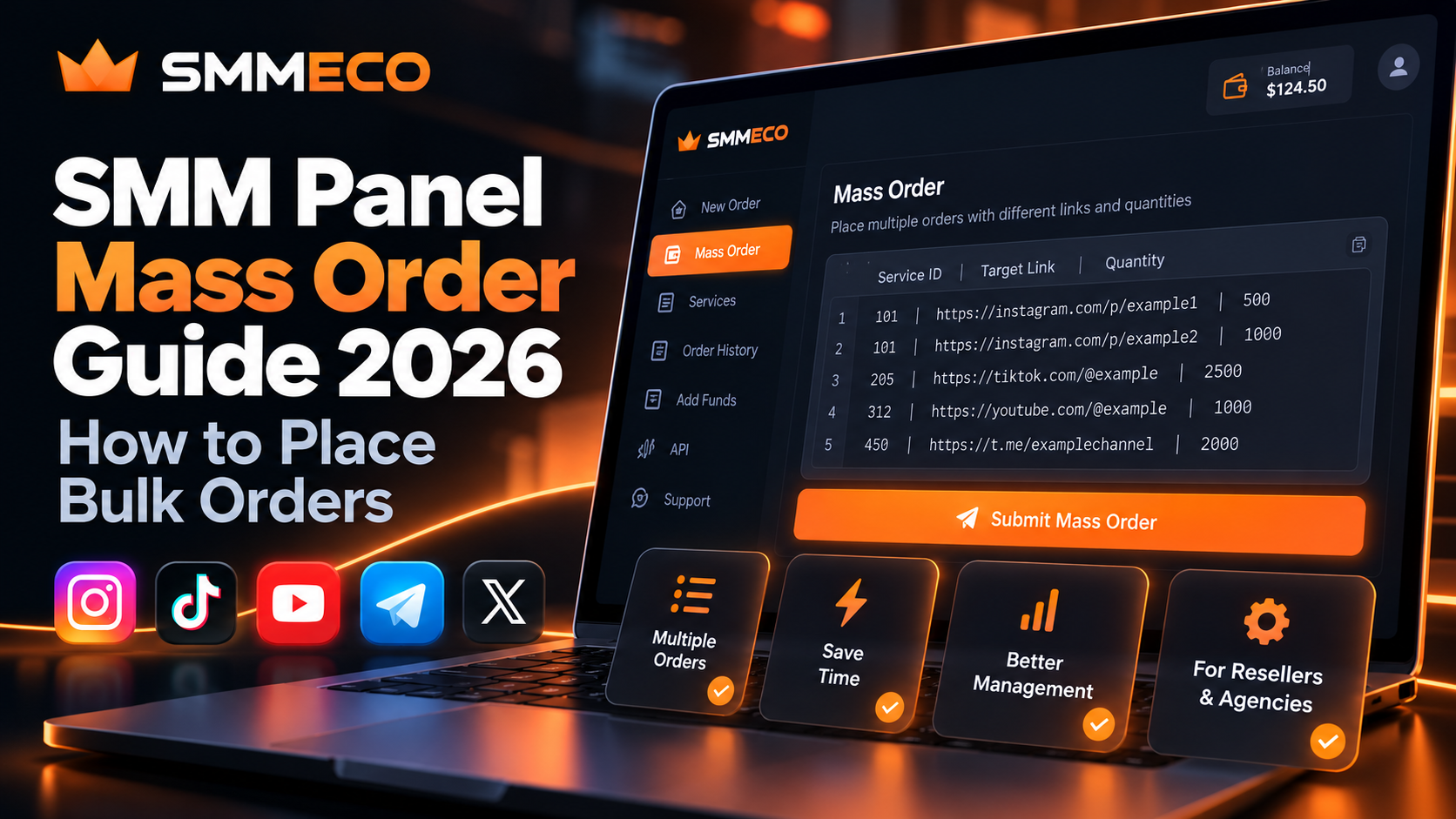
SMM Panel Mass Order Guide 2026: How to Place Bulk Orders
Managing a few social media service orders is usually straightforward. But what happens when you need to submit 20, 50, or even 100 separate orders?
Entering every service ID, target link, and quantity individually can become repetitive. For SMM resellers and digital marketing agencies, that extra work can also increase the risk of copying the wrong information.
This is where an SMM panel mass order feature becomes useful.
Mass ordering lets users prepare multiple service requests and submit them through a single workflow, rather than filling out a new order form for each request.
Platforms such as SMMECO offer mass order functionality for users who need to manage multiple social media service orders.
In this guide, you'll learn how SMM panel bulk orders work, what information is required, how to prepare a batch correctly, and which mistakes to avoid before submitting orders.
What Is Mass Order in an SMM Panel?
Mass Order is an SMM panel feature that allows users to submit multiple individual orders through one bulk submission.
Instead of selecting a service, entering a target URL, specifying a quantity, and repeating the process for every order, users can prepare several requests together.
A typical mass order workflow involves three primary pieces of information:
- Service ID: Identifies the service being requested.
- Target Link: Identifies the supported profile, post, video, channel, or other destination.
- Quantity: Specifies the requested amount within the service's permitted limits.
For example, an agency preparing multiple service orders may need to submit separate requests for different social media posts.
A mass order interface can simplify that process by grouping the submissions into one operation.
However, mass ordering does not mean that every line becomes one combined order.
Individual requests may still receive separate order IDs, charges, statuses, and service conditions.
Quick Answer: An SMM panel mass order is a bulk order submission method. It reduces repetitive data entry but does not automatically guarantee faster fulfillment, lower prices, or successful delivery.
How Does SMM Panel Mass Order Work?
Although the exact interface differs between providers, the underlying process is generally similar.
First, the user selects the services required for the batch.
Next, the user prepares the target links, quantities, and service identifiers.
The information is then entered into the panel's Mass Order interface using the format required by that platform.
After submission, the panel processes the requests according to its available services, validation rules, and account balance requirements.
Each accepted request can then be monitored through the provider's order management system.
Mass Order vs Regular Order
A regular order typically involves entering one service request at a time.
Mass ordering allows several requests to be submitted together.
This distinction is primarily about the ordering workflow.
Both methods may use the same service catalog, pricing rules, and fulfillment systems.
Mass Order is not necessarily a special service category, and it should not be confused with receiving a wholesale discount.
How to Place Mass Orders in an SMM Panel: Step-by-Step
If you're new to bulk ordering, the safest approach is to prepare and validate your information before submitting it.
The following steps describe a typical SMM panel mass order workflow.
Step 1: Sign In to Your SMM Panel
Begin by signing in to your provider account.
For users exploring SMMECO, visit the official SMMECO website and access the available account features.
SMMECO advertises Mass Order functionality for submitting multiple orders with different links and quantities in one place.
The exact location and presentation of the ordering interface may depend on the current dashboard version.
Step 2: Review the Available Services
Before preparing your bulk order, examine the services you intend to use.
Pay attention to the following details:
- Service ID and description
- Supported platform and target type
- Minimum order quantity
- Maximum order quantity
- Current service price
- Applicable refill or cancellation conditions
- Additional information required by the service
These details matter because two services within the same general category may have different ordering requirements.
Do not assume that a service supporting Instagram posts also supports Instagram profiles or Reels.
Step 3: Prepare Your Target Links
Create a list of the target links associated with each service request.
Check that every URL is complete and matches the format accepted by the selected service.
A common mistake is copying an incomplete URL, inserting additional spaces, or entering a profile link where the service requires a specific post.
If you are managing several customer orders, keep each customer's request linked to the correct target.
This helps prevent mistakes when several similar URLs appear in the same batch.
Step 4: Choose the Correct Quantity
Every service has its own ordering limits.
For example, imagine a hypothetical service with:
- Minimum quantity: 100
- Maximum quantity: 10,000
An order for 500 units would fall within that range.
An order for 50 units would be below the minimum, while an order for 15,000 units would exceed the maximum.
These figures are illustrative, not actual SMMECO service limits.
Always verify the current limits displayed in your account.
Step 5: Open the Mass Order Feature
Locate the Mass Order function within your panel's available ordering tools.
The interface may provide a text field where you can enter multiple requests in a required structure.
Before pasting your prepared order list, review the instructions shown on that page.
Important: Mass order field order and separators are not universal. A format accepted by one provider may not work with another.
Step 6: Enter Your Bulk Order Information
Prepare your requests using the format specified by the provider.
In many SMM panels, one line represents one order.
The most commonly required values are the service ID, target link, and quantity.
You should check every line for missing fields, incorrect separators, unsupported links, and quantity errors.
The next section provides an illustrative example.
Step 7: Review and Submit the Batch
Before confirming the submission, check the full order list.
If the platform provides an order preview or cost estimate, review it carefully.
Depending on the panel, invalid requests may be rejected individually or the entire submission may be rejected.
Some systems may accept valid lines while reporting errors for others.
Do not assume all requests succeeded merely because the submission action completed.
Step 8: Save the Order IDs
After submitting the batch, review the result and record the identifiers for successfully accepted orders.
Maintain a clear relationship between each original request and its corresponding order ID.
For reseller businesses, retaining this information can simplify support requests, reconciliation, and customer communication.
SMM Panel Mass Order Format Explained
One of the most common questions is how to write a mass order correctly.
Many SMM panel systems use a structure resembling:
Service ID | Target Link | Quantity
A hypothetical batch might contain these three lines:
101 | https://example.com/target-a | 250101 | https://example.com/target-b | 500205 | https://example.com/target-c | 1000
These are illustrative values only. The service IDs are fictional, and the example.com URLs are placeholders, not valid social media order targets.
In this example, the first two requests use the same service ID but different target links.
The third request uses another service ID and quantity.
Each line represents an independent request.
What Does Each Field Mean?
Service ID
The Service ID identifies the specific service selected from the provider's catalog.
Do not confuse it with the Order ID assigned after an order is accepted.
A Service ID describes what you want to order.
An Order ID identifies a particular submitted request.
Target Link
The target link tells the service which supported destination should receive the requested action.
Its required format depends on the selected service.
Quantity
The quantity represents the requested amount.
This must satisfy the service's current minimum and maximum limits.
Why the Exact Mass Order Format Matters
Mass order systems must correctly interpret each line.
If the provider expects a particular separator, entering a different character may cause the submission to fail.
Some systems use vertical bars, while others use different delimiters or field structures.
Special service categories may require additional information.
For this reason, use the instructions provided by the actual ordering interface rather than copying an unrelated provider's format without checking.
SMMECO-specific note: SMMECO confirms that it offers Mass Order functionality, but the precise submission syntax should be verified inside its current account interface before using the examples above.
Can You Use Different Service IDs in One Mass Order?
In many mass order systems, a single submission can contain requests using different service IDs.
For example, one row may relate to a supported Instagram service while another relates to a YouTube or Telegram service.
The ability to mix services depends on the provider's interface and the requirements of each service type.
There are two important checks.
First, confirm that the mass order tool supports the relevant service categories.
Second, verify that every line contains the information required for its selected service.
A valid service ID does not automatically mean the associated target link is compatible.
How to Calculate the Cost of Multiple SMM Orders
Bulk ordering should not be confused with bulk discounts.
In many SMM panels, the word mass describes how requests are submitted, not how they are priced.
Each accepted order may still be charged individually.
For services priced per 1,000 units, a common calculation is:
Order Cost = (Quantity ÷ 1,000) × Rate per 1,000
Suppose an agency prepares three hypothetical orders:
Order A: 500 units at $0.80 per 1,000.
Estimated cost: $0.40.
Order B: 1,000 units at $0.50 per 1,000.
Estimated cost: $0.50.
Order C: 2,000 units at $0.30 per 1,000.
Estimated cost: $0.60.
The total estimated cost would be:
$0.40 + $0.50 + $0.60 = $1.50
These prices are examples, not live SMMECO rates.
Actual charges depend on the selected services, pricing structure, account terms, and any applicable fees.
If one line is rejected, the amount ultimately charged may differ from your original estimate.
For businesses using bulk ordering as part of a resale operation, read our Wholesale SMM Panel Pricing and Profit Margins Guide.
Common SMM Panel Mass Order Errors and How to Fix Them
Submitting multiple orders at once can save administrative time, but mistakes can also affect several requests together.
Here are some common issues to watch for.
1. Invalid Service ID
Problem: The selected service ID does not match an available service.
What to do: Return to the current service catalog and verify the identifier.
An older service ID might no longer be available or may refer to a different listing.
Never replace an invalid service ID with another one without checking the service description.
2. Incorrect Mass Order Format
Problem: The panel cannot interpret the submitted line.
What to do: Compare the line with the instructions displayed in the Mass Order interface.
Check the field sequence, separator characters, and required parameters.
3. Quantity Outside the Allowed Range
Problem: The requested amount is below the minimum or above the maximum.
What to do: Review the service's current quantity limits and adjust the request if appropriate.
Do not assume the same limits apply to every service.
4. Unsupported Target Link
Problem: The submitted URL does not match the target format required by the service.
What to do: Verify whether the service expects a profile, post, video, channel, or another identifier.
Make sure the target is accessible according to the service requirements.
5. Insufficient Account Balance
Problem: The account may not have enough available funds to cover the accepted requests.
What to do: Review the batch's estimated cost and the provider's current funding and payment conditions.
If some requests were already accepted, reconcile those orders before attempting another submission.
6. Duplicate Orders
Problem: The same target and service combination appears more than once.
What to do: Compare the submission list against the order history before creating any additional requests.
Duplicate submissions can lead to unnecessary costs and complicate tracking.
7. Unclear Submission Result
Problem: The submission times out or the page does not clearly show whether the orders were accepted.
What to do: Check the order history and available records before submitting the same batch again.
A timeout does not necessarily mean the provider failed to receive the requests.
Blindly retrying an uncertain paid submission can create duplicate orders.
Mass Order vs Drip Feed vs SMM Panel API
These three features are sometimes discussed together, but they serve different purposes.
Mass Order: Submit Multiple Orders Together
Mass Order is primarily a batch submission tool.
It allows users to prepare several independent requests and submit them through one workflow.
Its main purpose is reducing repetitive manual entry.
Drip Feed: Schedule Eligible Delivery Batches
Drip-feed functionality divides an eligible order into smaller scheduled runs.
It is concerned with delivery scheduling rather than submitting multiple independent orders.
Availability and scheduling options depend on the service.
Drip-feed does not guarantee a particular growth outcome or remove social platform policy risks.
SMM Panel API: Connect Software Systems
An API allows compatible software to exchange information with an SMM panel.
Depending on the provider, supported operations may include retrieving services, submitting orders, and checking statuses.
An API is especially relevant to reseller businesses that want to connect their own website or software with a supplier.
For a more technical explanation, explore our SMM Panel API Integration Guide for Resellers.
Key Difference: Mass Order is a convenient submission method, drip feed is a scheduling feature, and an API is a software integration interface.
These tools may complement one another, but they are not interchangeable.
Mass Order Best Practices for SMM Resellers
A well-organized bulk ordering process is about accuracy, recordkeeping, and understanding service limitations.
Maintain a Clear Order Worksheet
Before submitting a batch, keep a simple worksheet containing:
- Your internal customer or project reference
- Selected service ID
- Target link
- Requested quantity
- Expected cost
- Submission status
- Assigned order ID after acceptance
For an agency managing several customers, this makes it easier to match each accepted order to the correct request.
Check for Duplicate Requests
Review the prepared list for identical targets and service combinations.
If the same destination appears twice, determine whether the duplication is intentional and permitted by the selected service.
Verify Current Service Information
Avoid using an outdated service list without checking it.
Service prices, availability, identifiers, and order restrictions can change.
Start With a Small Test Batch
When using an unfamiliar bulk order interface, start with a small number of permitted orders after reviewing the instructions.
Verify that the resulting records match the submitted requests before increasing the volume.
Monitor Each Accepted Order
One bulk submission may produce several independently tracked orders.
Do not assume every order will progress at the same rate or reach the same status simultaneously.
Understand Refill and Cancellation Conditions
Different services may have different conditions for refill requests, cancellations, and partial orders.
Bulk submission does not automatically grant additional guarantees.
For a detailed explanation, read our SMM Panel Refill, Cancel and Drop Policies Guide.
Respect Social Media Platform Rules
Bulk ordering is a workflow feature, not evidence that a service complies with Instagram, TikTok, YouTube, Telegram, or other platforms' policies.
Certain paid engagement practices may violate platform rules or create account-related risks.
Businesses should evaluate the legitimacy of their activities, the permissions they have for each target, and the applicable terms before using third-party services.
Who Can Benefit From SMM Panel Bulk Ordering?
Mass order tools can be useful wherever users need to organize multiple supported service requests.
SMM Reseller Businesses
Resellers may manage requests from several customers.
A batch submission workflow can reduce repeated manual entry and help organize order information.
Digital Marketing Agencies
Agencies handling multiple client accounts may need a centralized method to prepare and record service requests.
However, client authorization and applicable platform rules remain essential.
SMM Panel Operators
Operators who manually transfer orders between systems may find bulk input convenient.
Businesses requiring ongoing automation may instead need an API-based workflow.
Individual Customers
A user managing multiple permitted targets may also find the feature useful, provided the selected services support their requirements.
Mass ordering is therefore not limited to large reseller businesses.
How SMMECO Supports Mass Order Management
SMMECO is a global SMM panel offering social media service categories involving Instagram, TikTok, YouTube, and Telegram.
The platform publicly describes Mass Order functionality as a way to submit multiple requests with different links and quantities in one place.
For users comparing SMM panels, this feature is relevant because order management convenience can matter alongside service prices and catalog availability.
However, users should verify which services are currently compatible with the Mass Order interface.
They should also check the accepted input format, current account requirements, and how the panel reports errors or partially accepted submissions.
Mass ordering can make the submission process more convenient, but it cannot guarantee lower pricing, faster fulfillment, or successful service outcomes.
Frequently Asked Questions About SMM Panel Mass Orders
What is Mass Order in an SMM panel?
Mass Order is a feature that allows users to submit several individual SMM service requests through one bulk ordering workflow. It reduces repetitive entry but does not combine all requests into one fulfillment order.
What is the correct SMM panel mass order format?
A common format includes a service ID, target link, and quantity for each line. However, separators, field order, and additional requirements vary between providers. Always use the instructions displayed by your actual panel.
Can I place multiple Instagram orders at once?
A mass order interface may support multiple requests for compatible Instagram services. The selected service must accept each target type, quantity, and any additional required information.
Does SMM panel Mass Order cost extra?
The availability of an additional mass order fee depends on the provider. Mass ordering does not automatically mean the underlying services are discounted. Review the displayed costs and applicable terms before submitting.
Can I use different service IDs in one bulk order?
Many mass order systems accept different service IDs in the same batch, but this depends on the provider and the supported service types. Verify the format and requirements in your account.
What happens if one line in my mass order is incorrect?
The result depends on how the panel validates bulk submissions. Some systems may reject an individual line, while others may reject the entire batch. Check the actual submission result and recorded orders before retrying.
Is Mass Order the same as an SMM panel API?
No. Mass Order is typically an interface for submitting multiple requests together. An API allows compatible software systems to communicate and automate supported operations.
Does using Mass Order make services deliver faster?
Not necessarily. Mass Order can reduce the time required to enter multiple requests, but delivery speed depends on the individual service and provider.
Does Mass Order automatically include drip feed?
No. Mass ordering and drip feed are separate concepts. Drip-feed settings are available only for eligible services and supported ordering methods.
Does SMMECO offer Mass Order functionality?
Yes. SMMECO publicly advertises a Mass Order feature for submitting multiple orders with different links and quantities. Users should check the current dashboard for its exact format and supported options.
Final Thoughts: Is SMM Panel Mass Order Useful?
An SMM panel mass order feature is designed to simplify the submission of multiple service requests.
For resellers and agencies managing frequent orders, it can reduce repetitive administrative tasks and make the initial ordering workflow more convenient.
However, the quality of a bulk ordering process depends on careful preparation.
Service IDs must be correct, target links must match the supported formats, quantities must fall within the permitted ranges, and users should verify which orders were actually accepted.
It is equally important to understand that bulk submission is not a guarantee of lower costs, faster delivery, or better marketing results.
SMMECO offers Mass Order functionality alongside its broader social media service platform.
If you're exploring options for managing multiple service requests, visit SMMECO to review its currently available services and ordering features.
The key takeaway: A good Mass Order workflow does not simply submit more requests. It helps users organize, verify, and track the right requests with fewer avoidable mistakes.